If your monthly order has been processed but hasn’t been paid yet, your autoorder stays frozen. You can find it in the section -my account - my orders. Take a look here:
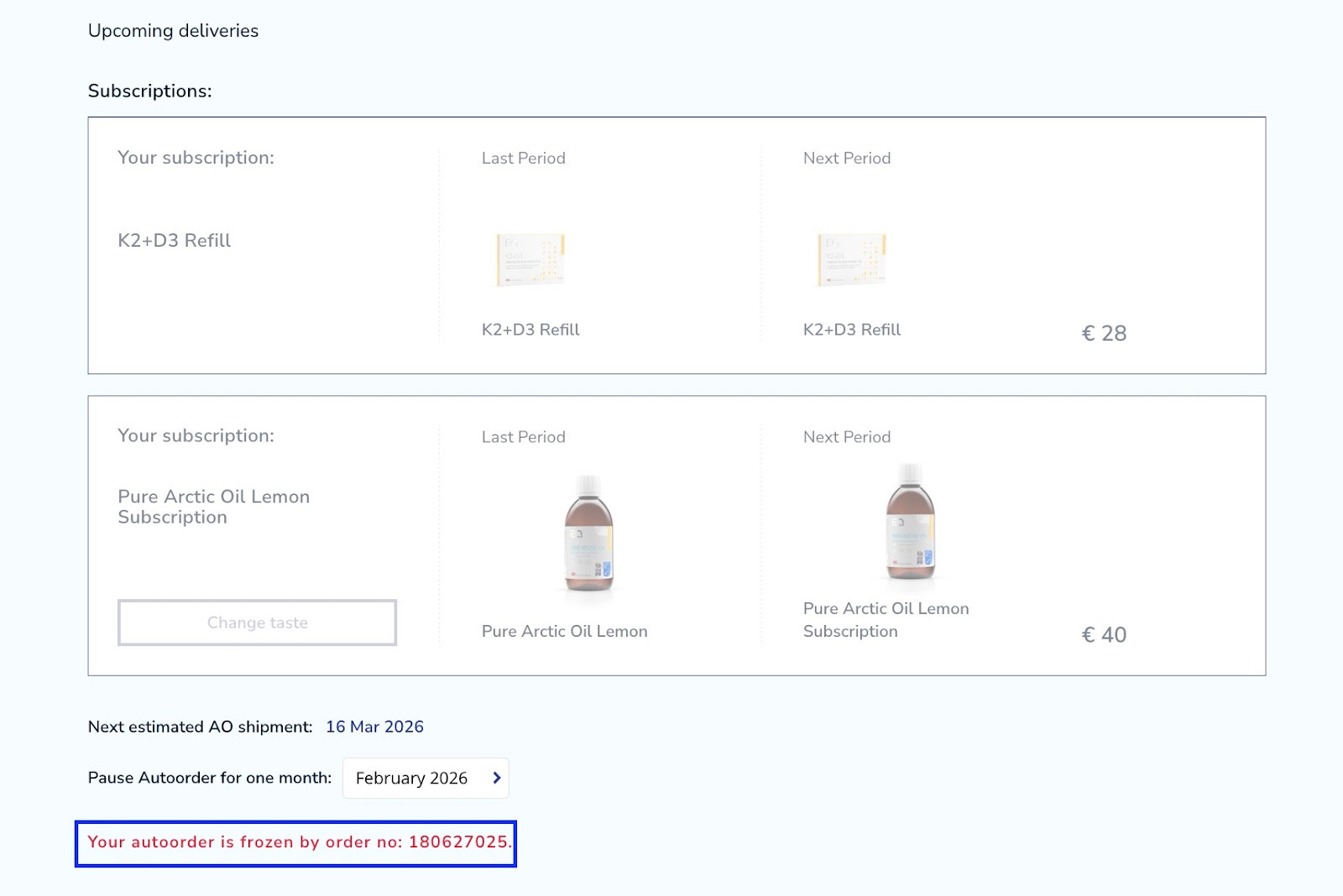
The tab with your subscriptions is also grayed out. You can find a statement there saying that your autoorder is frozen by order number…
It basically means that your order hasn’t been paid yet. Now you don’t have an option to process the autoorder again, the button -send now is not available.
You can scroll down to your order history to find the order with the corresponding order number.
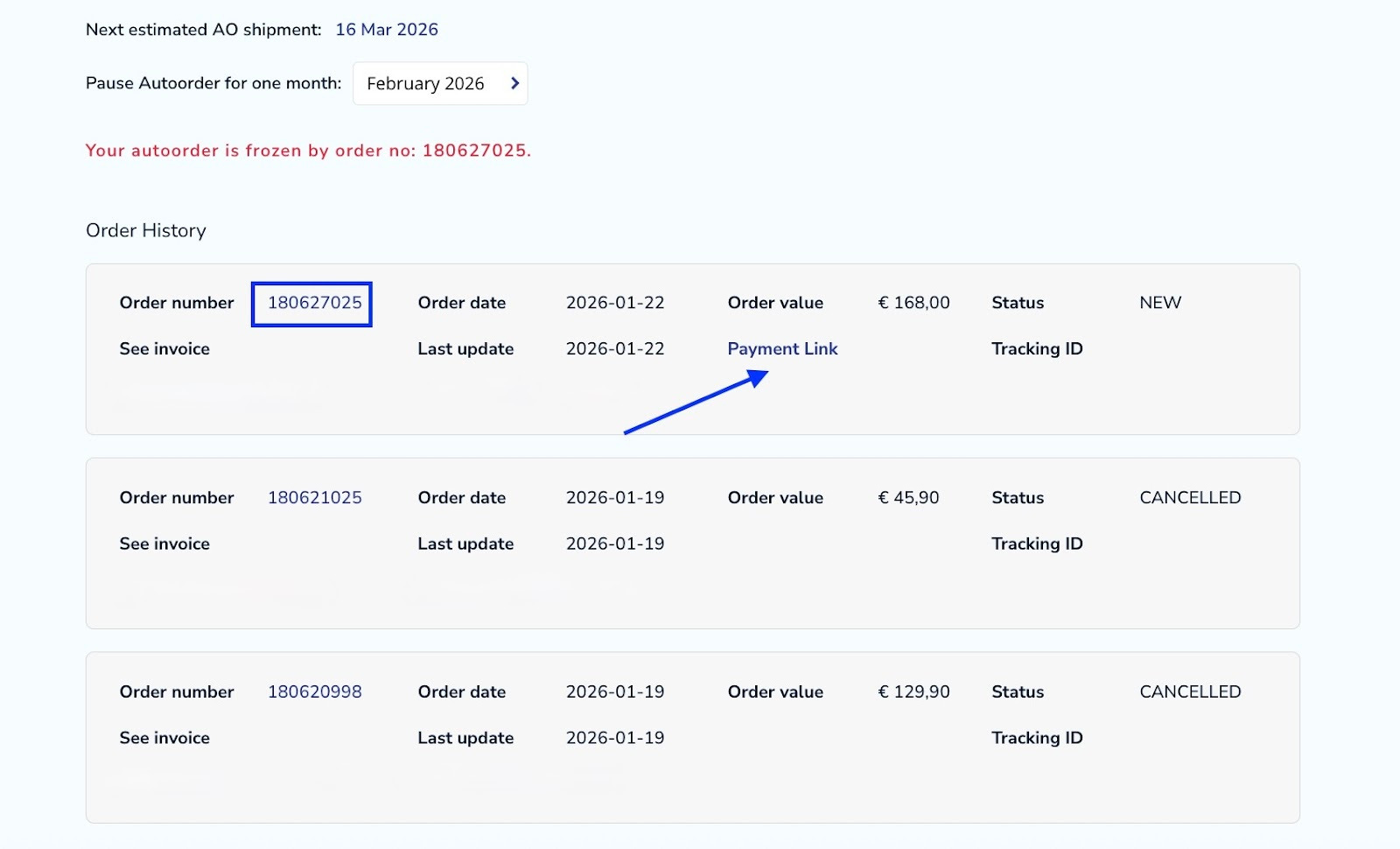
The only thing you need to do to unblock your autoorder is to pay for it by clicking on the payment link. You will be redirected to the payment website depending on your payment method.
Take note: if you have an automatic payment method and you encounter this warning, it should disappear within a couple of minutes when the payment will be automatically executed.
If you wish to change your order that has already been processed or you would like to cancel it, you can only do that by contacting our Support Team. (See: How to contact support)
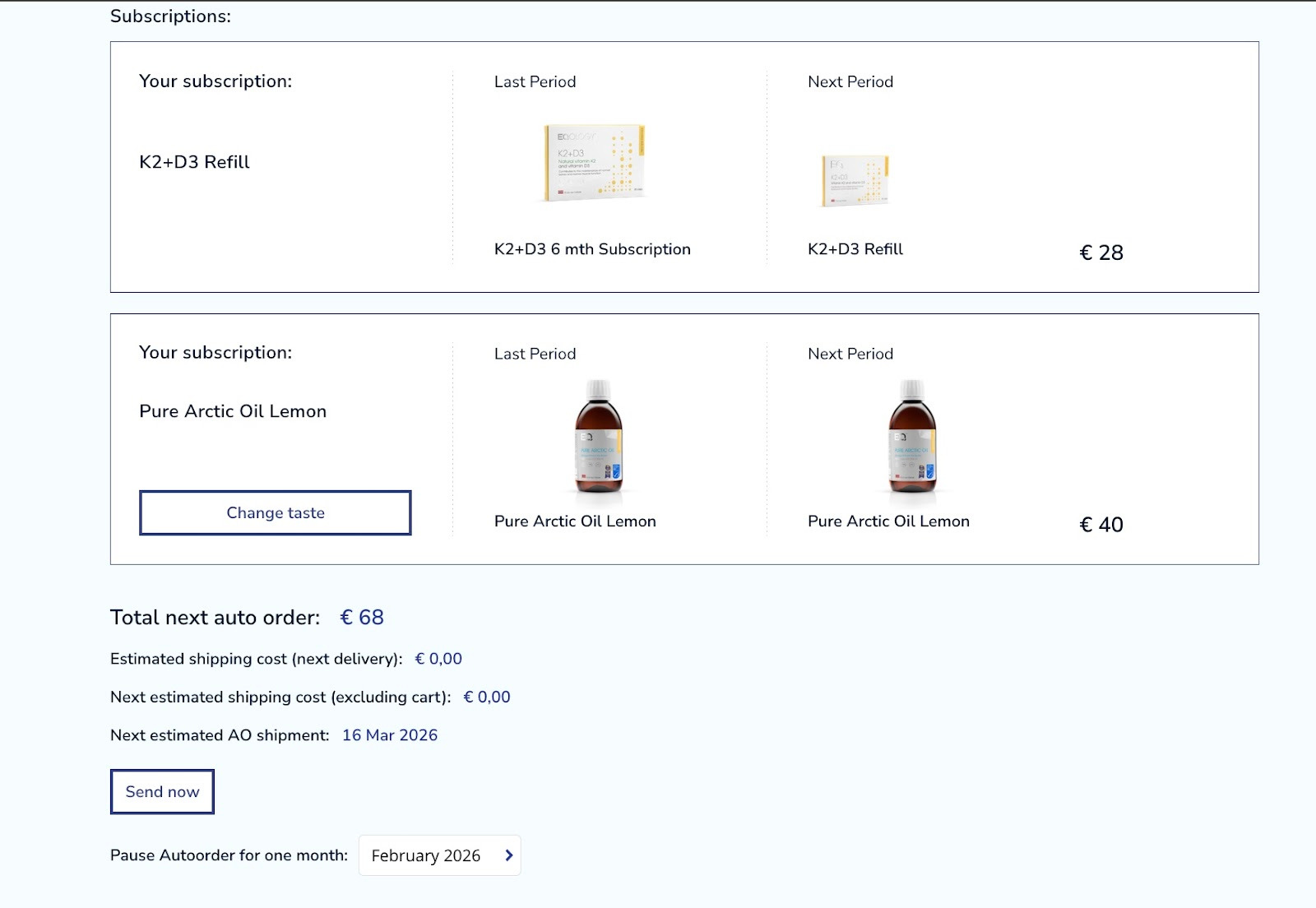
When the order is paid or cancelled the autoorder gets unblocked. The tab is no longer grayed out and the button -send now reappears.
Was this article helpful?
That’s Great!
Thank you for your feedback
Sorry! We couldn't be helpful
Thank you for your feedback
Feedback sent
We appreciate your effort and will try to fix the article