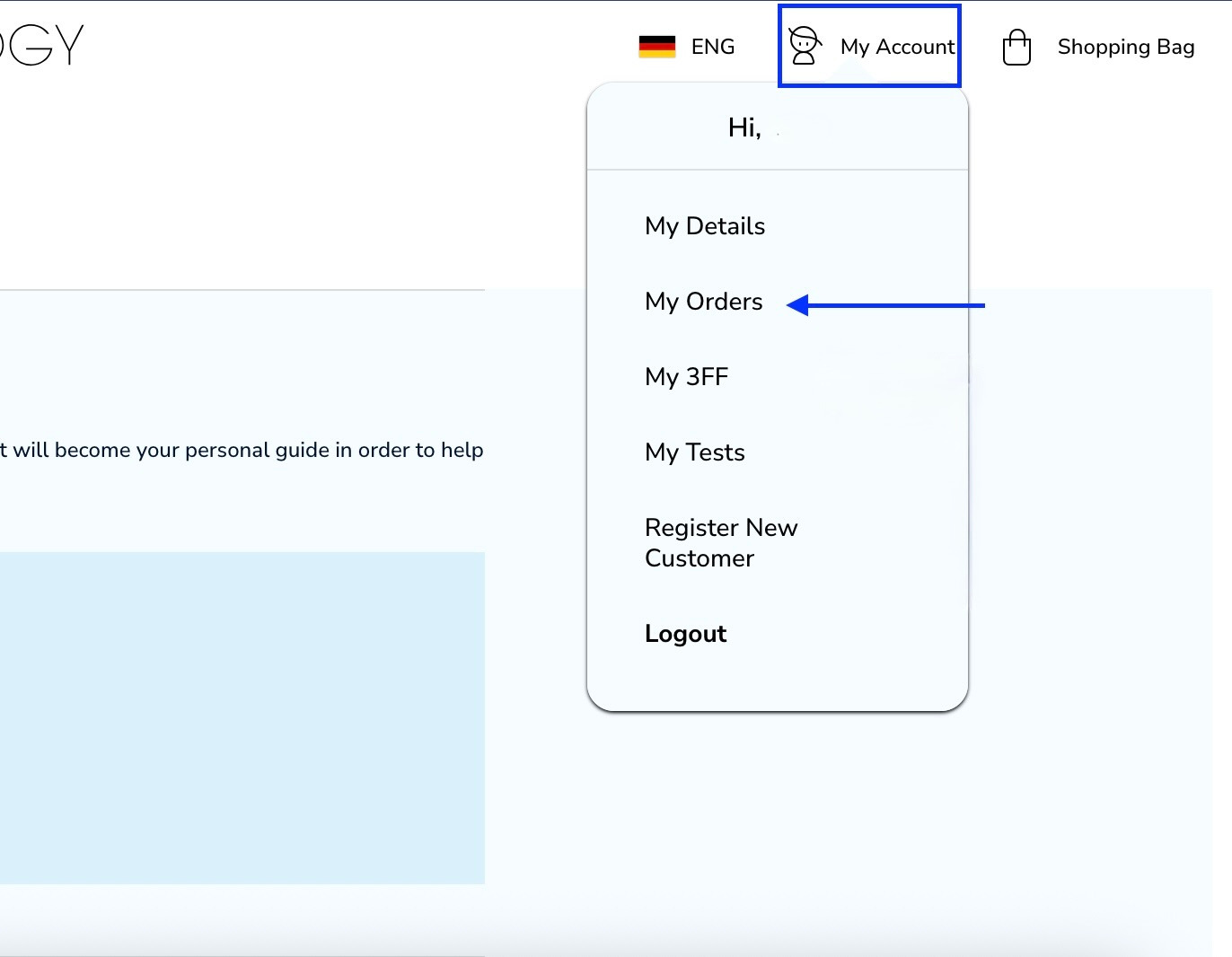
You can very easily change the taste of your oil when you log into your account. Firstly click on -my account and then -my orders.
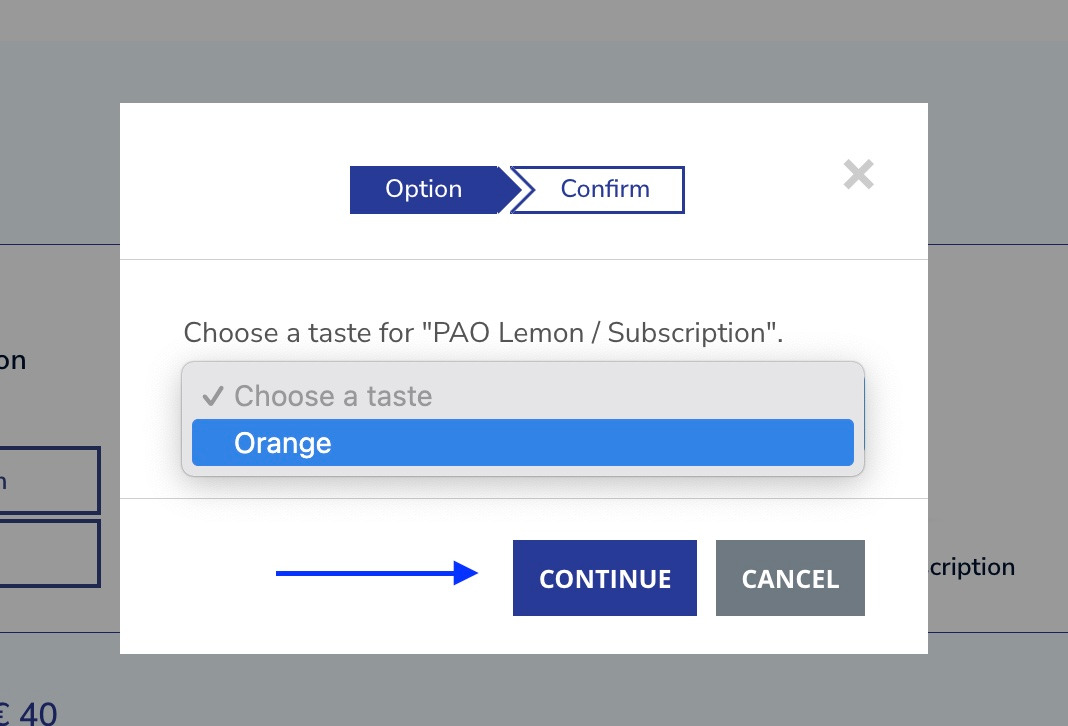
Navigate to the subscription/auto-order chart. In this case we would like to change the oil to the orange taste. Click on -change taste bar.

Then click on choose a taste, select orange and click on continue.
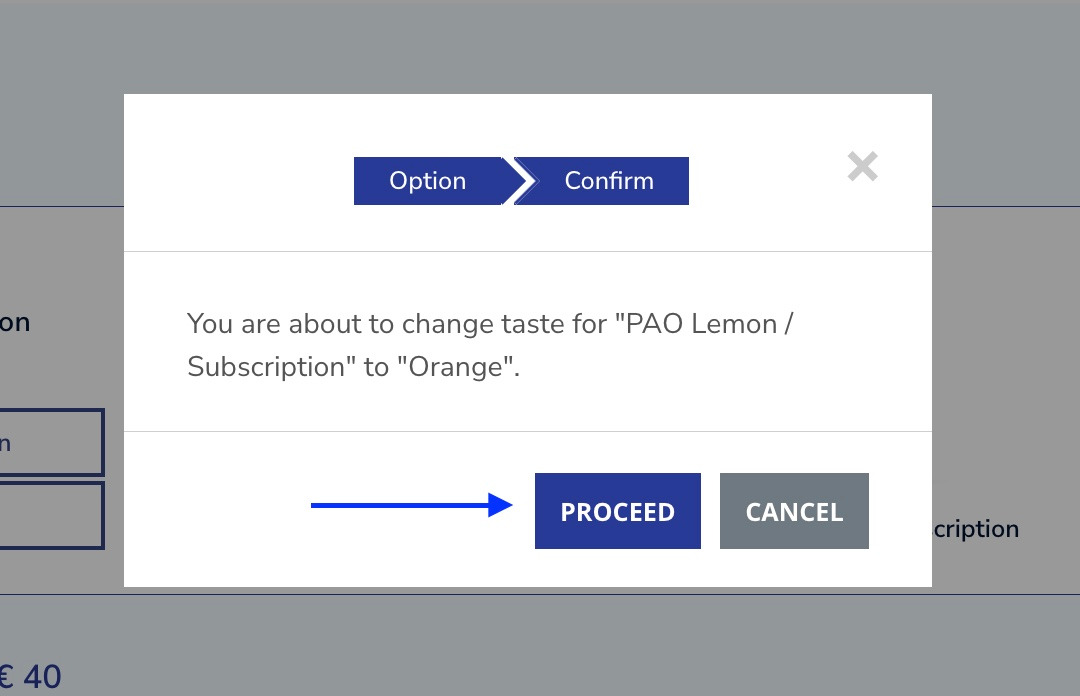
Click on proceed by confirming your choice.
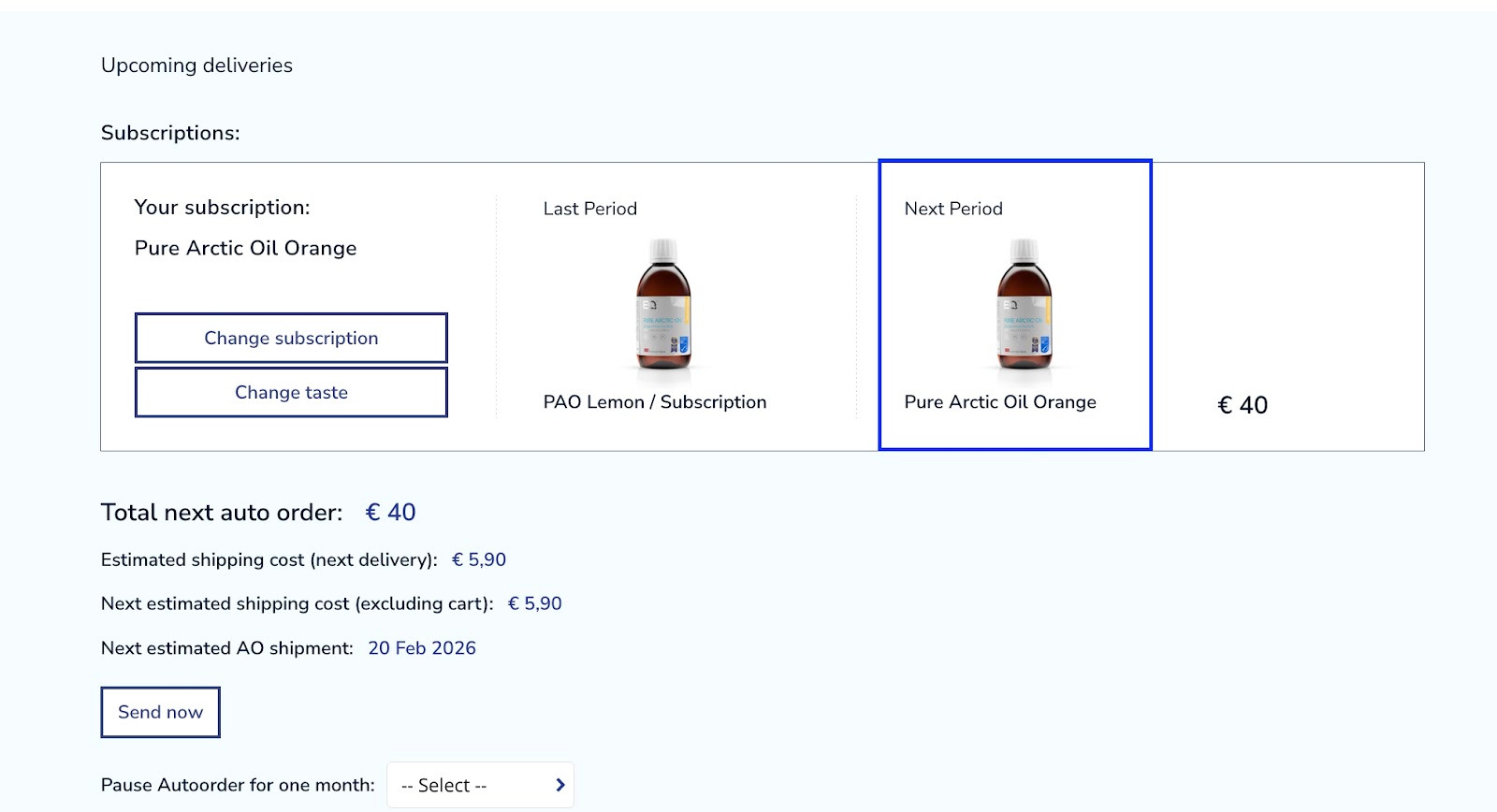
As you can see under the -next period section, the taste has been successfully changed to orange. Pure Arctic Oil orange will be sent starting from the next shipment.
Was this article helpful?
That’s Great!
Thank you for your feedback
Sorry! We couldn't be helpful
Thank you for your feedback
Feedback sent
We appreciate your effort and will try to fix the article