There are three delivery options you might choose from.
Auto-order
Add once
Deliver now
Depending on the type of the order some of them might not be available. Starting with a monthly subscription, you can only order them in your auto-order which means that you will receive them once per month, if you need extra products or you need them faster see (How to send auto-order directly?)
If you order single products you may choose all of those options. Whatever you add to your auto-order will be shipped monthly in your chosen delivery period. Add once means that you can order something extra and you want to have it sent with your upcoming monthly order. Deliver now means that you would like to receive given products immediately, as fast as possible.
A standard shipping fee of 5,90 EUR applies. See how does free shipment work to find out more.
Once you wish to finalise your order you need to choose the delivery option, click on -select delivery mode.
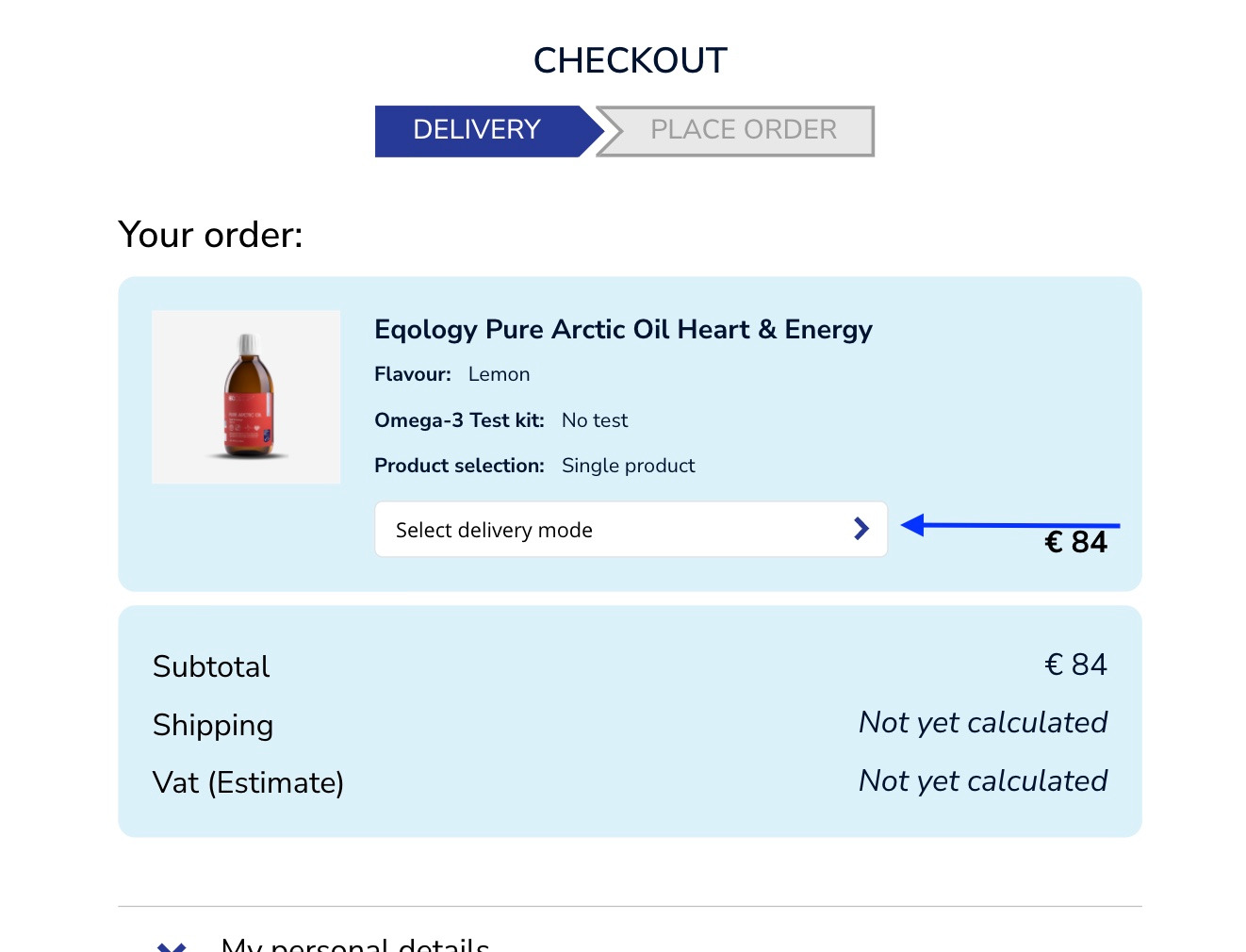
And then choose one that suits your needs.
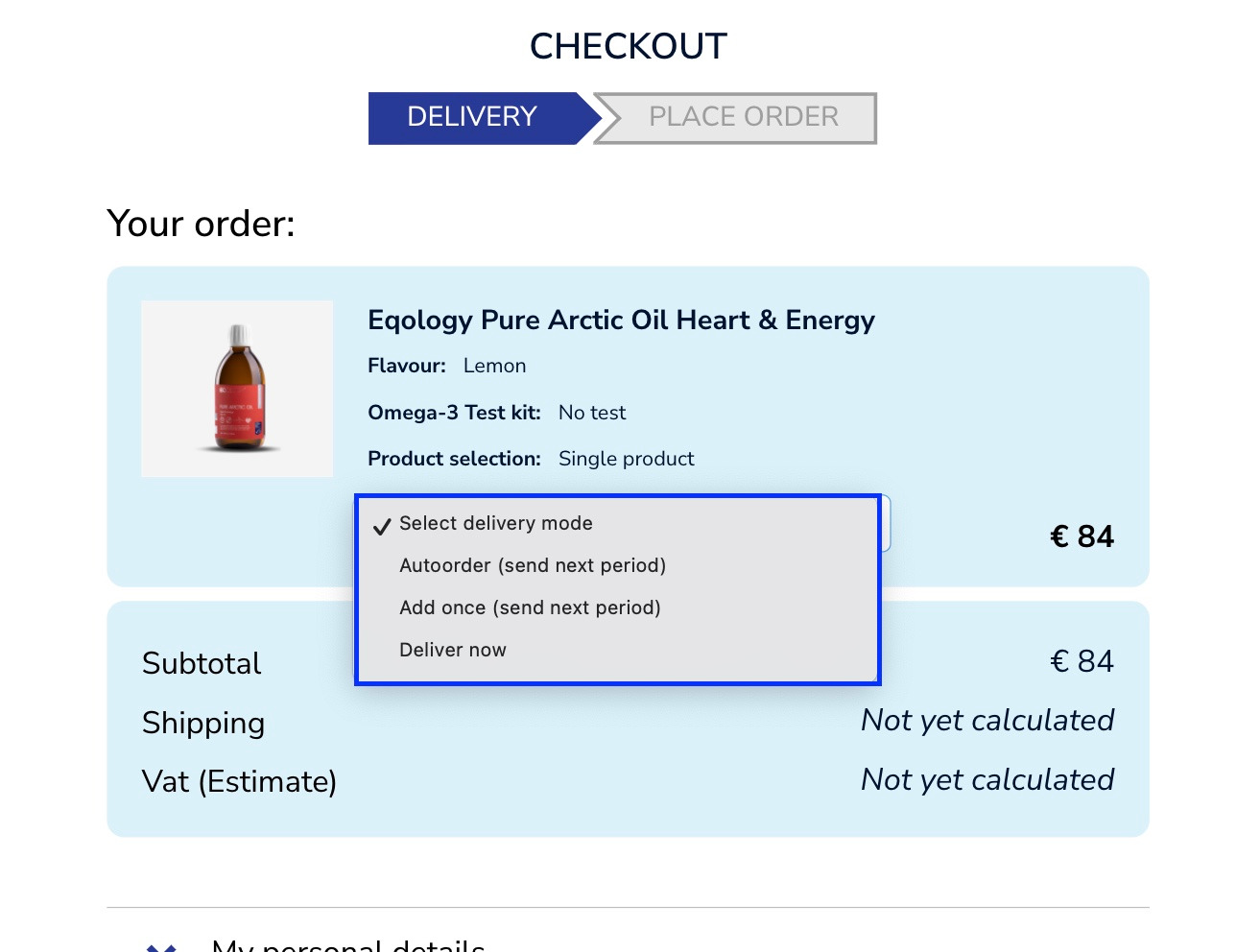
As you can see, with single products you get to choose from the three aforementioned options. Let’s take a look at subscriptions.
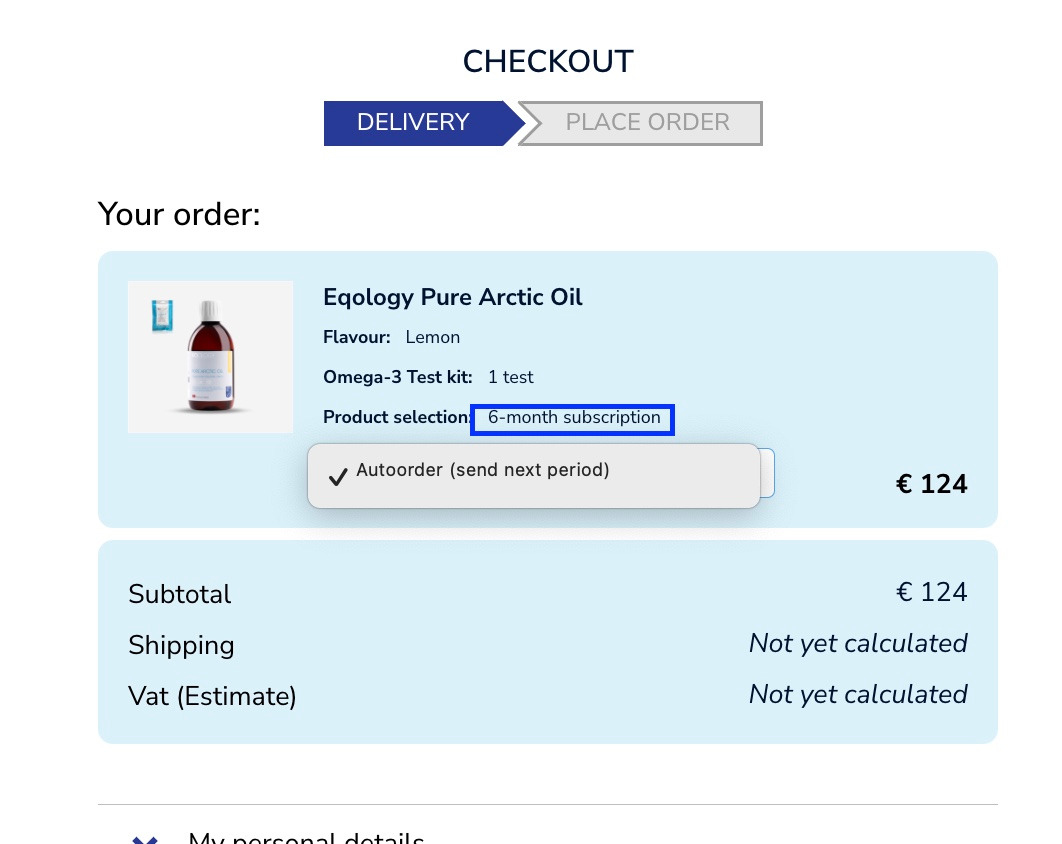
Only one option pops up, because it is a subscription, you will receive this product monthly. If you wish to receive it faster and you’ve got other products in your Auto-order see here on how to do it (How to process auto-order directly?)
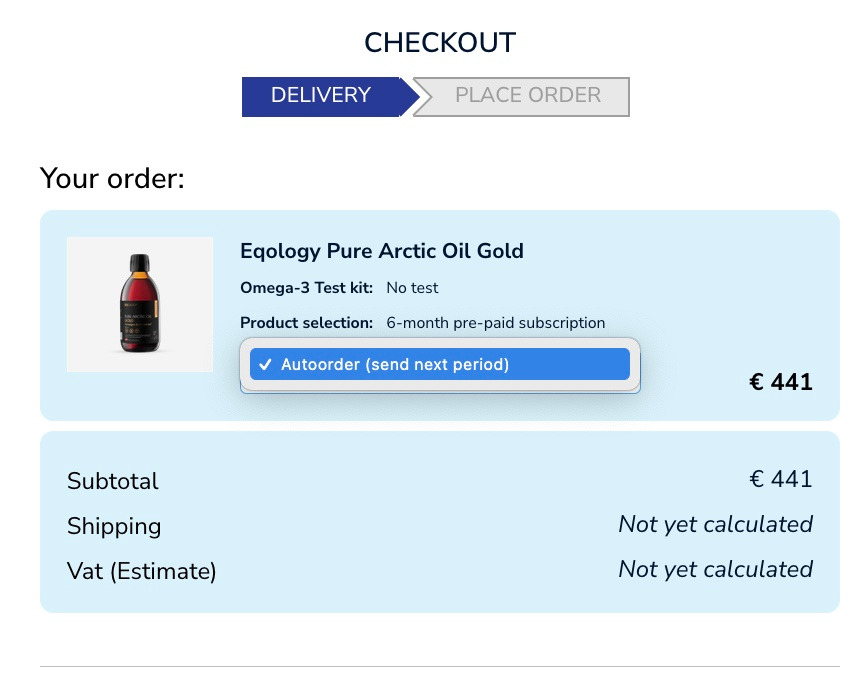
The same rule applies to pre-paid subscriptions, they are added to your Auto-order. If there is anything there you need to process it manually if you wish to get it delivered directly. Otherwise it will be sent with the rest of your products in the next delivery period, see here (How to change delivery period?)
Was this article helpful?
That’s Great!
Thank you for your feedback
Sorry! We couldn't be helpful
Thank you for your feedback
Feedback sent
We appreciate your effort and will try to fix the article