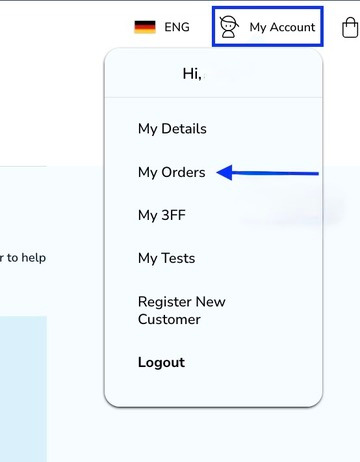
To change your payment method click on -my account and then on -my details.
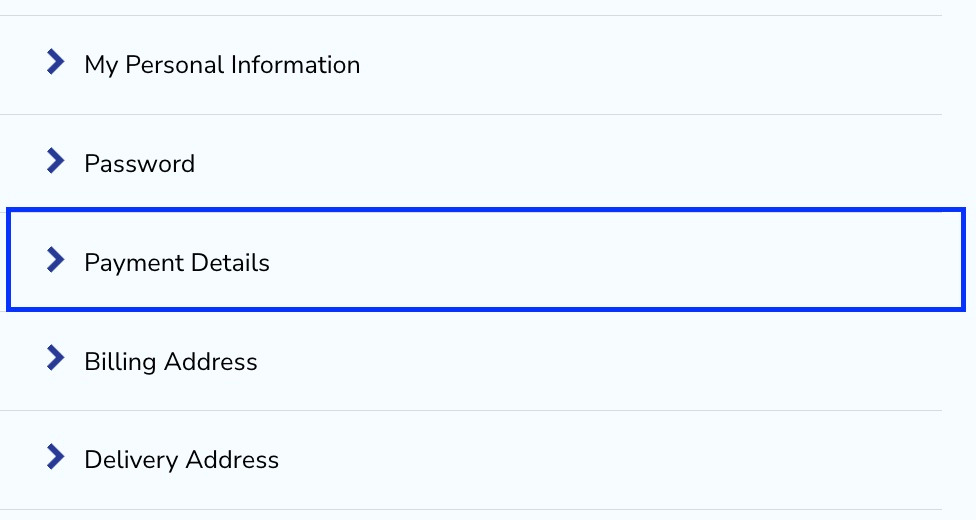
Then scroll down until the payment details section and click on it.
Then choose the payment method that suits you best.
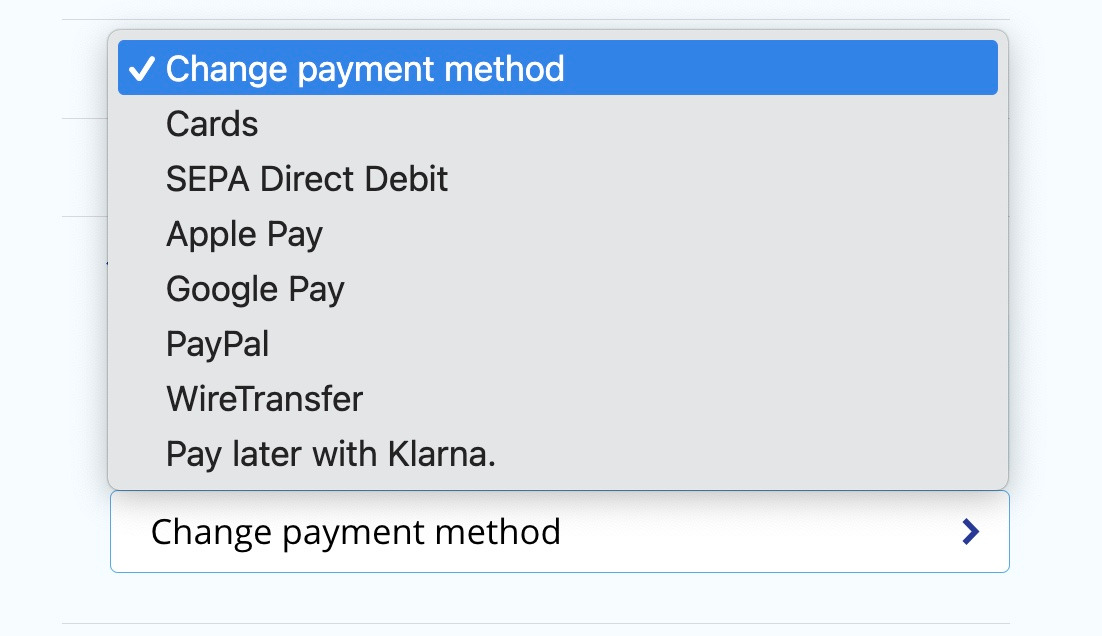
Take note: All of the listed payment methods are supported in your country. If you can’t find a different method it means that it isn’t supported on our website..
Then you need to confirm by clicking on the proceed button.
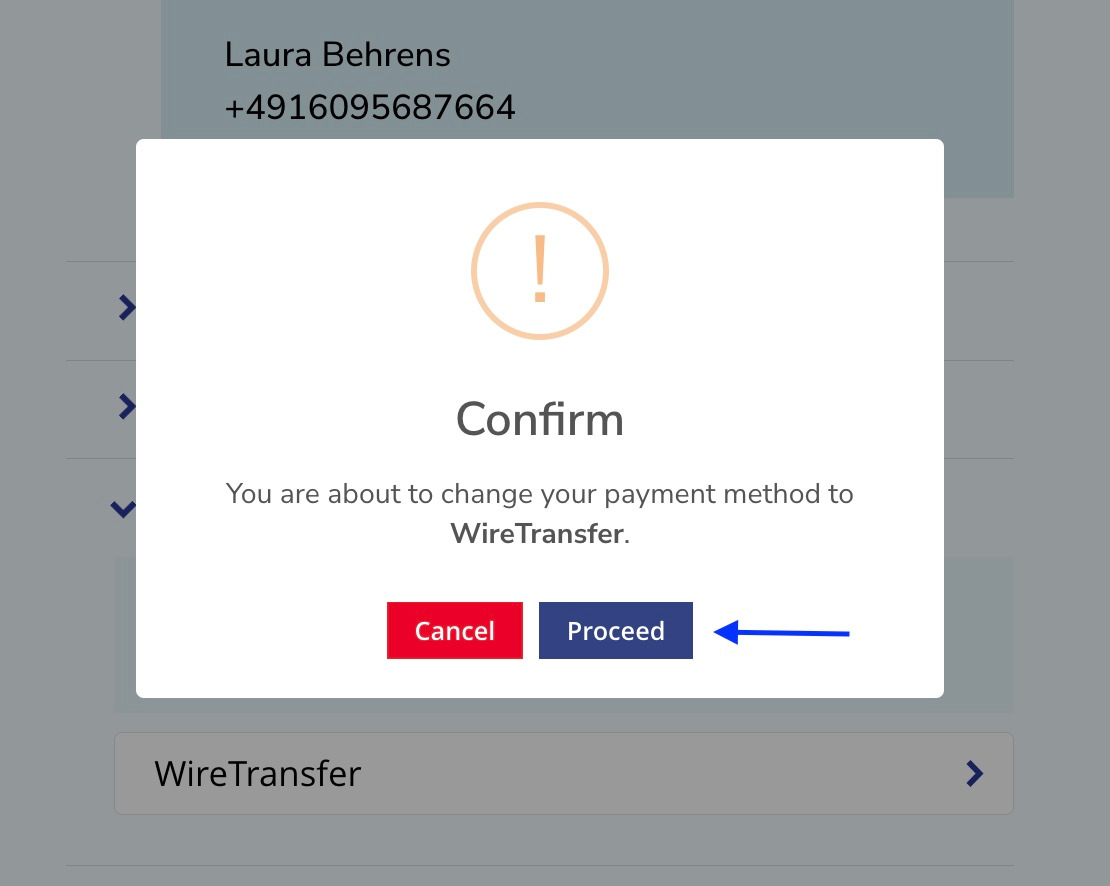
You can refresh your website to be sure that the payment method has been changed correctly.
Was this article helpful?
That’s Great!
Thank you for your feedback
Sorry! We couldn't be helpful
Thank you for your feedback
Feedback sent
We appreciate your effort and will try to fix the article