If you wish to remove added single products from your monthly subscription you can do that easily by going to the -my orders section.
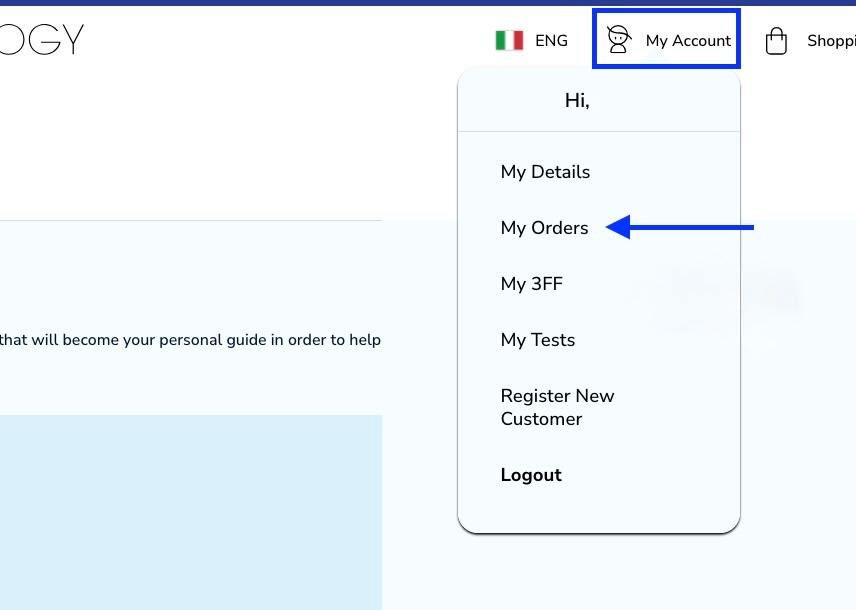
Click on -my account and then -my orders.
When it comes to the single products you have a couple of options to choose from. You can remove them completely from your monthly order or you can change their delivery method to be sent only once with the next order.
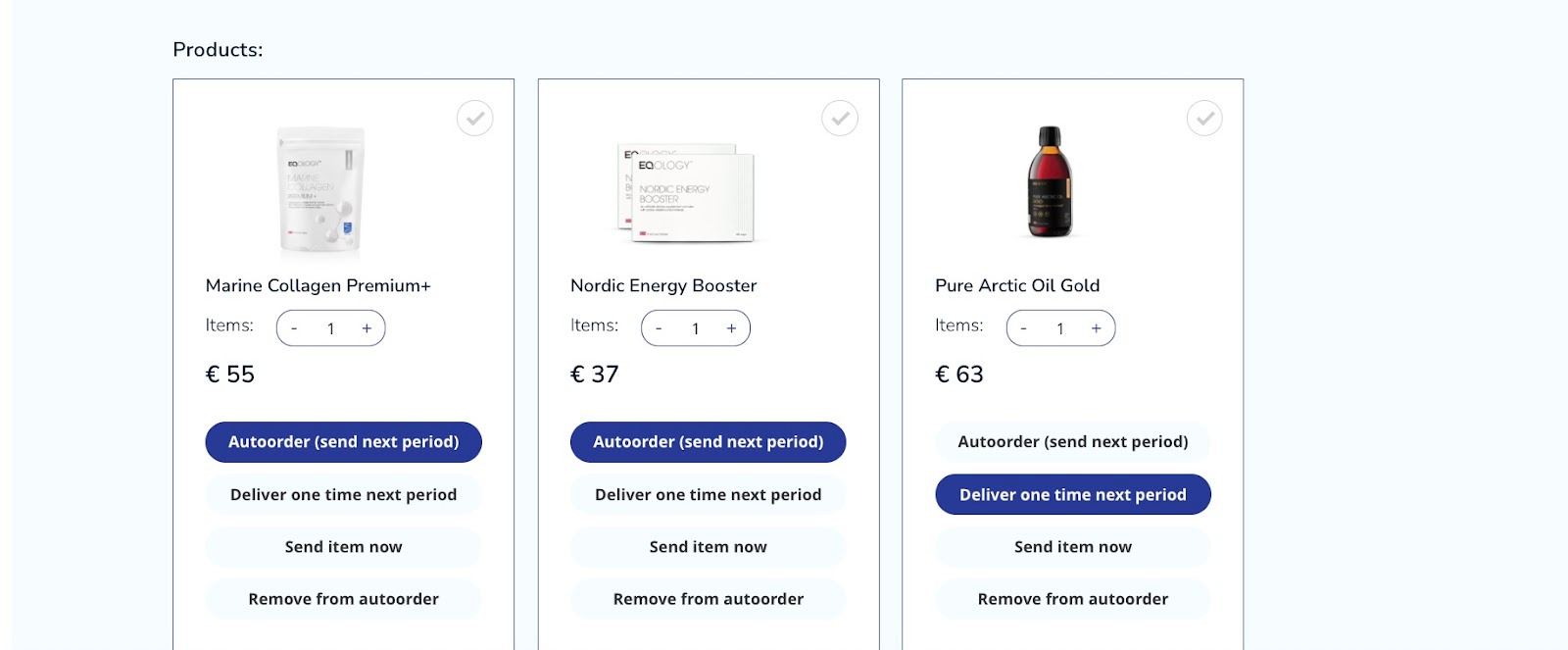
Let’s say we want to delete Marine Collagen Premium but you would like to have Nordic Energy Booster delivered only once with the next shipment.
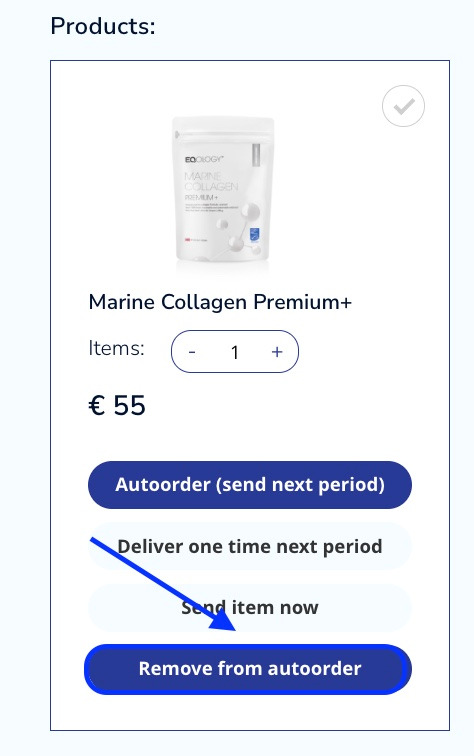
To do so, just click on the -remove from autoorder tab under Marine collagen Premium
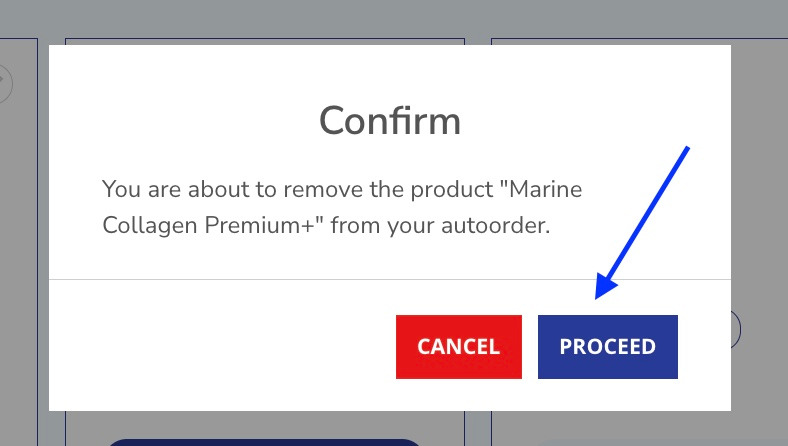
Then confirm your choice by clicking on proceed.
As you can see Marine Collagen was removed from the list of the products.
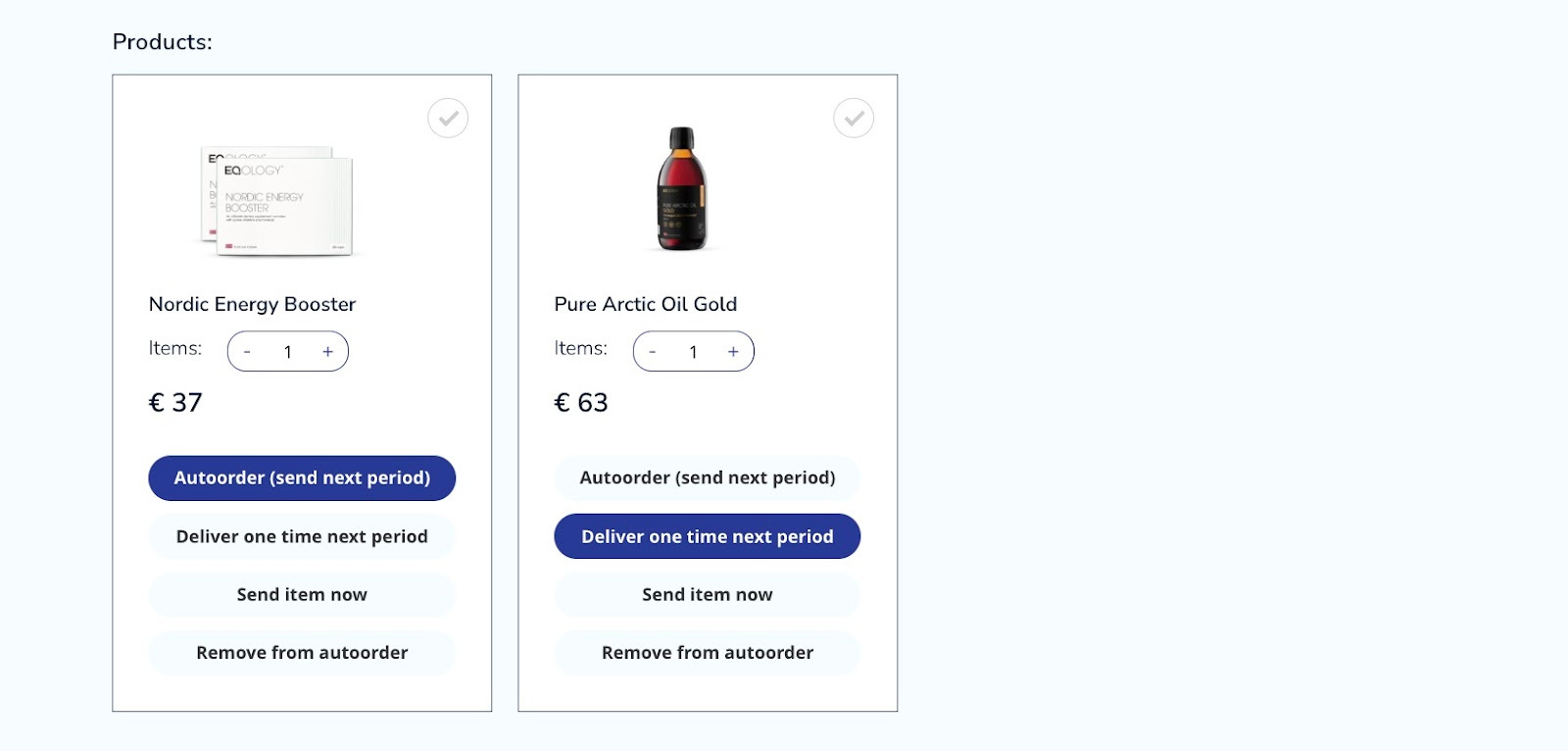
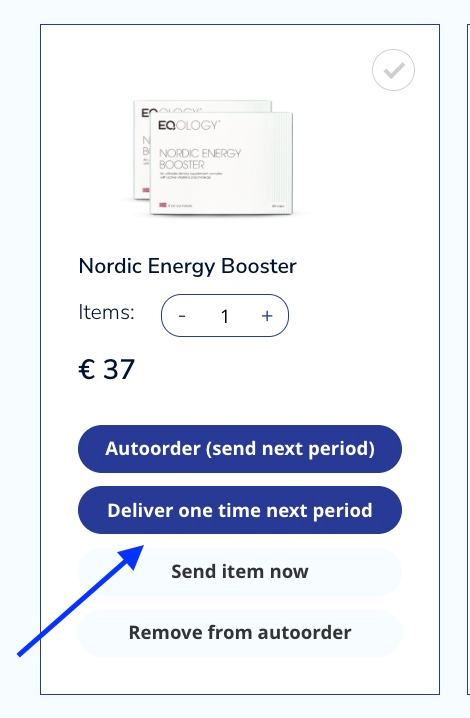
Now let’s change the delivery method of Nordic Energy Booster. Just click on -deliver on time next period.
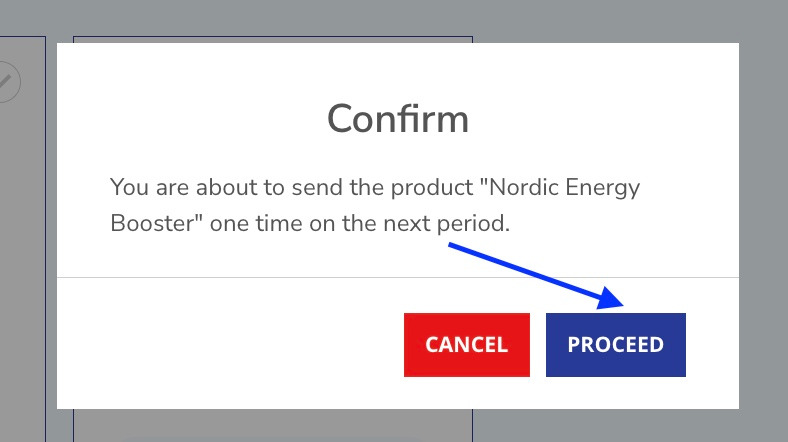
You only need to confirm the change by clicking on -proceed.
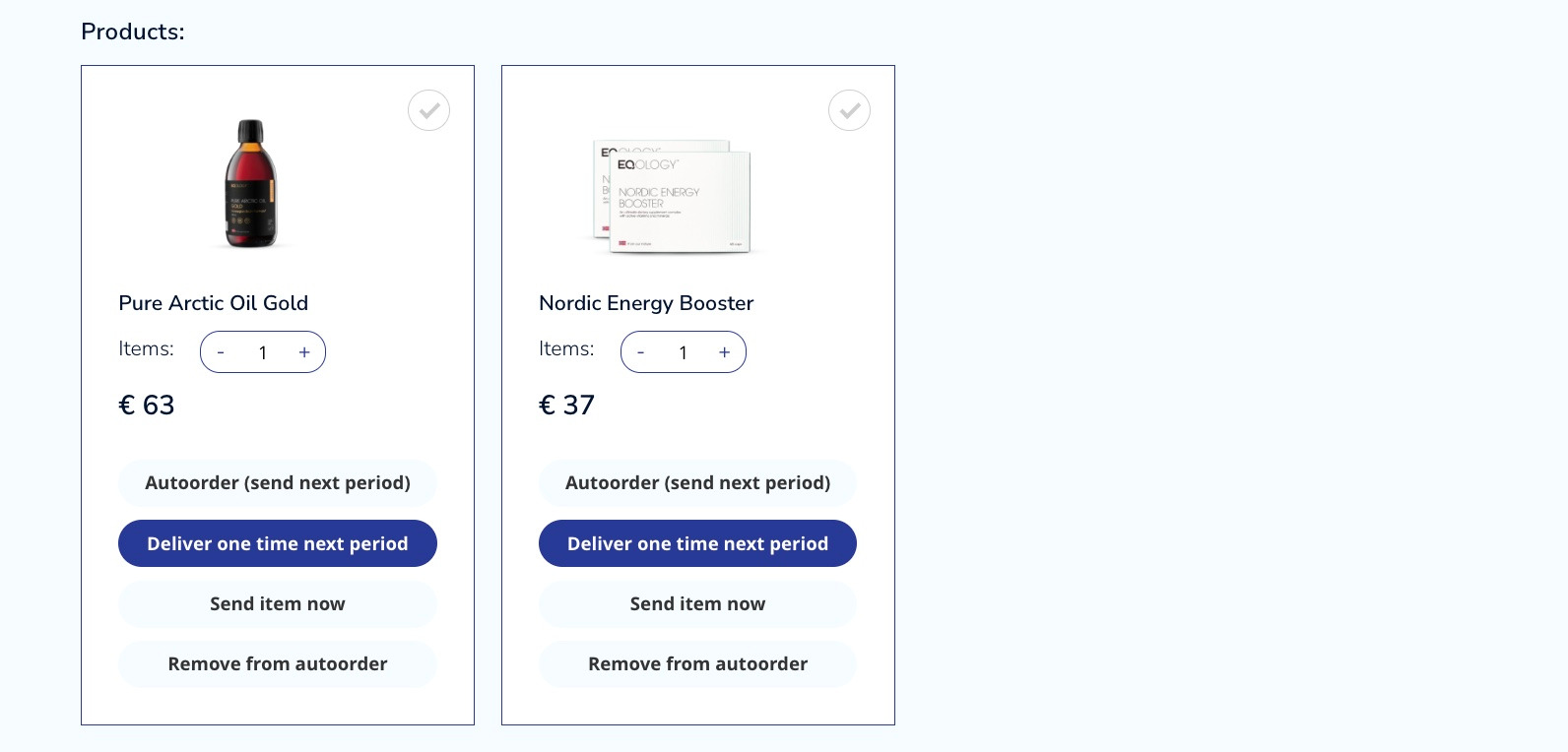
Your monthly order has been successfully changed as you wished.
Take note: during your binding period of your subscription you can’t remove products yourself. You might remove products yourself after the completion of the subscription.
Was this article helpful?
That’s Great!
Thank you for your feedback
Sorry! We couldn't be helpful
Thank you for your feedback
Feedback sent
We appreciate your effort and will try to fix the article