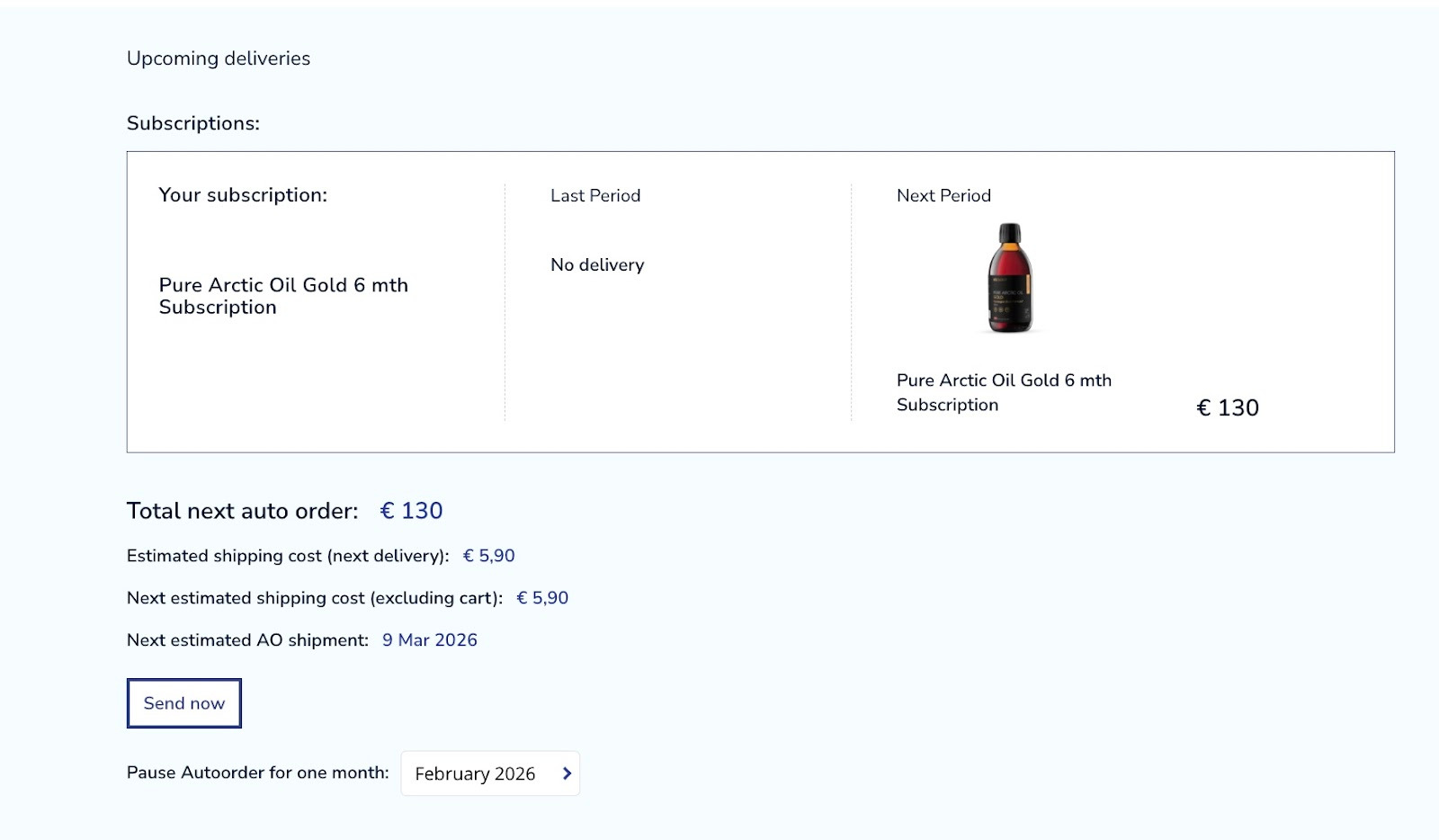
You can upgrade your subscription yourself with another oil product once your first subscription is completed.
Firstly you need to search for the product you would like to order as your upgrade.
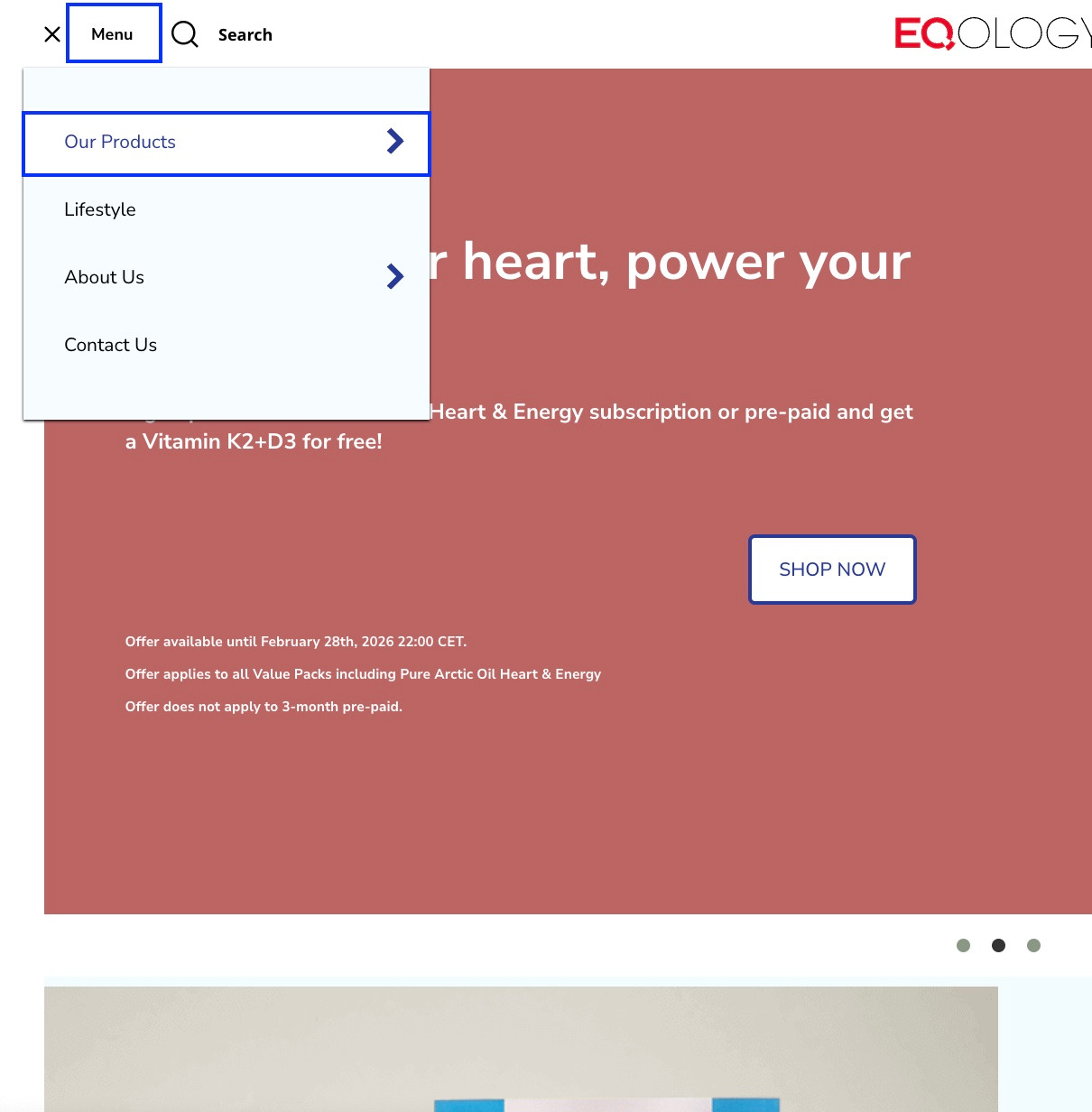
Go to -menu and then -our products in the top left corner.
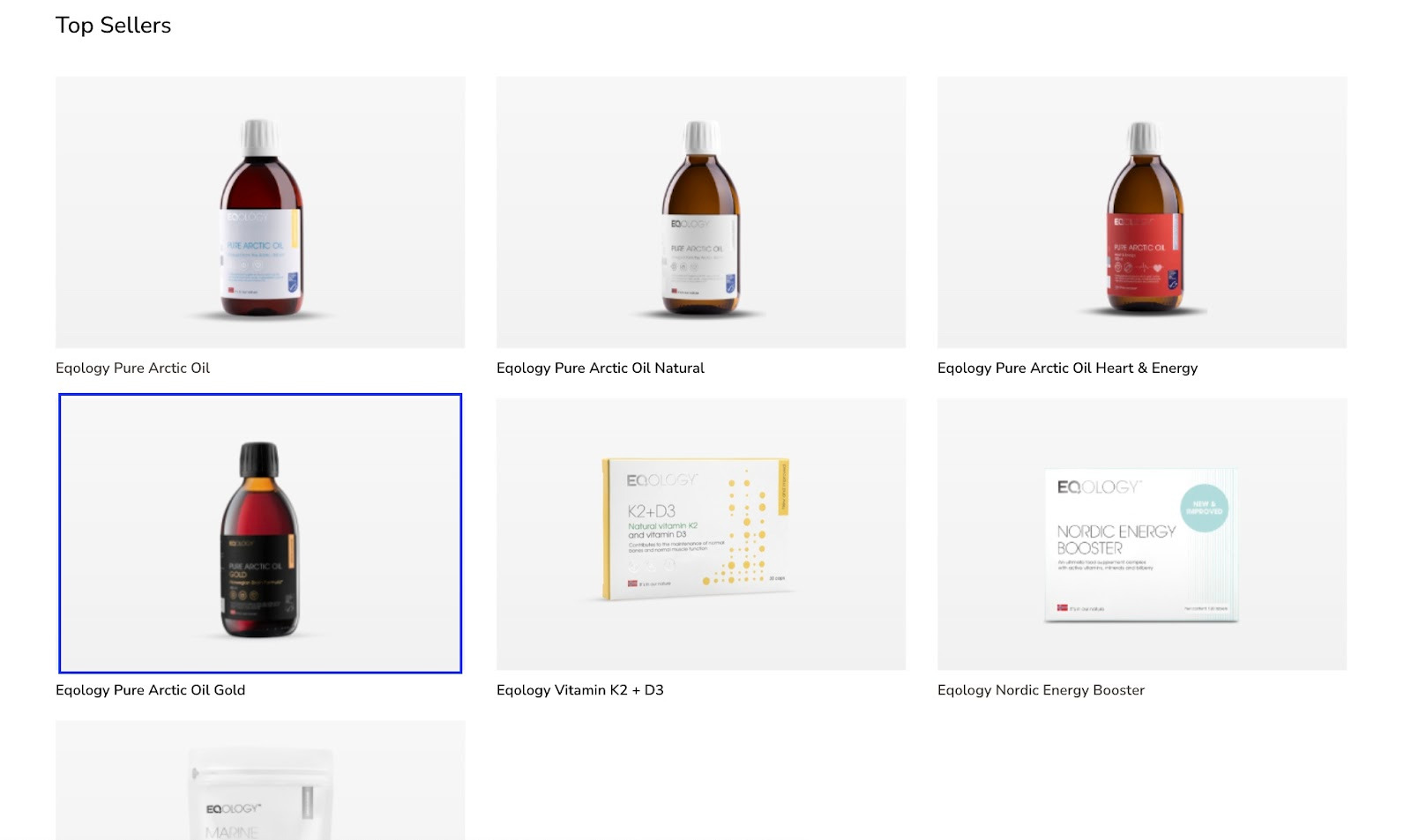
Let’s say you wish to order Pure Arctic Oil Gold but without a test, let’s suppose that you do not need it. Just click on the image of the Pure Arctic Oil Gold.
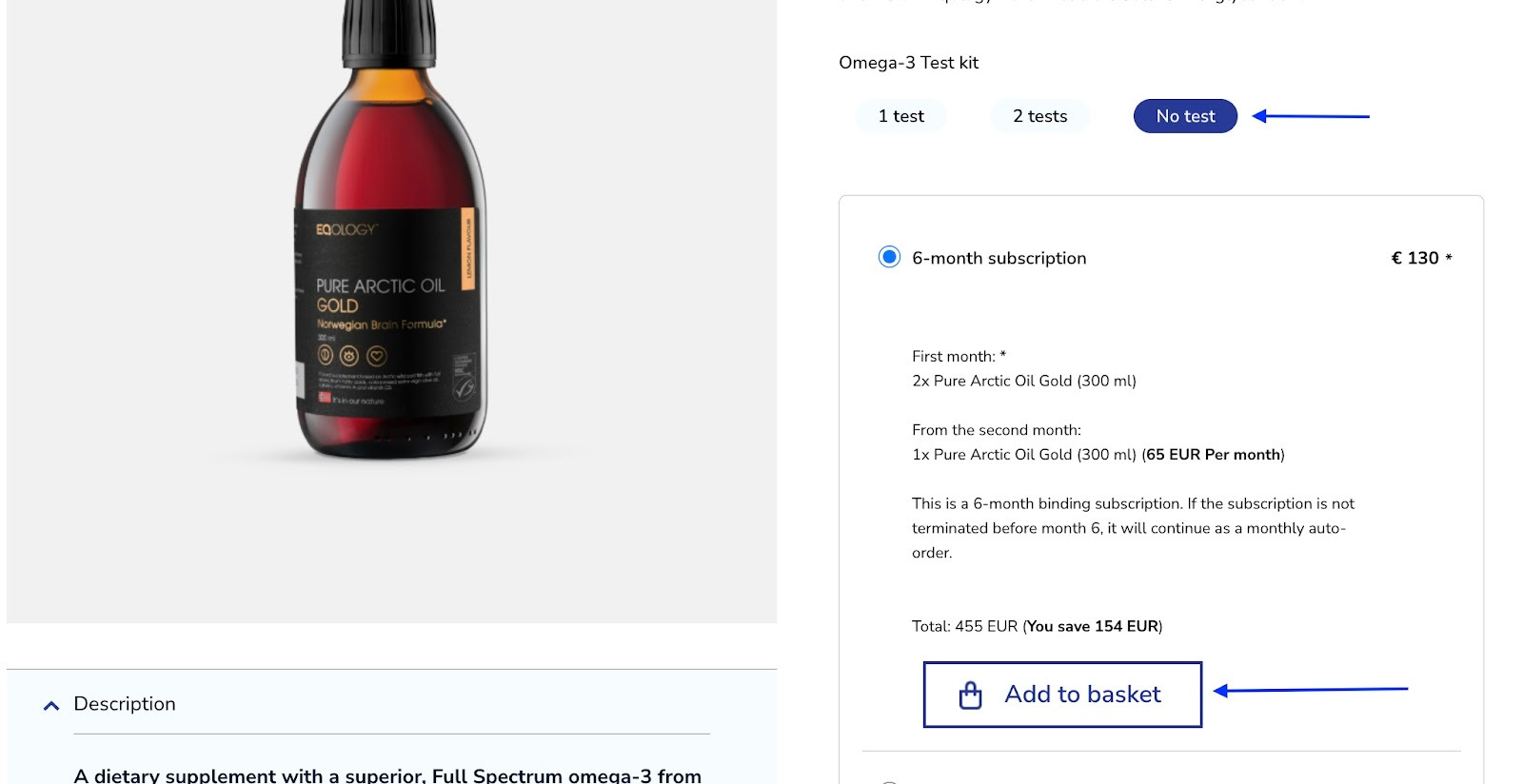
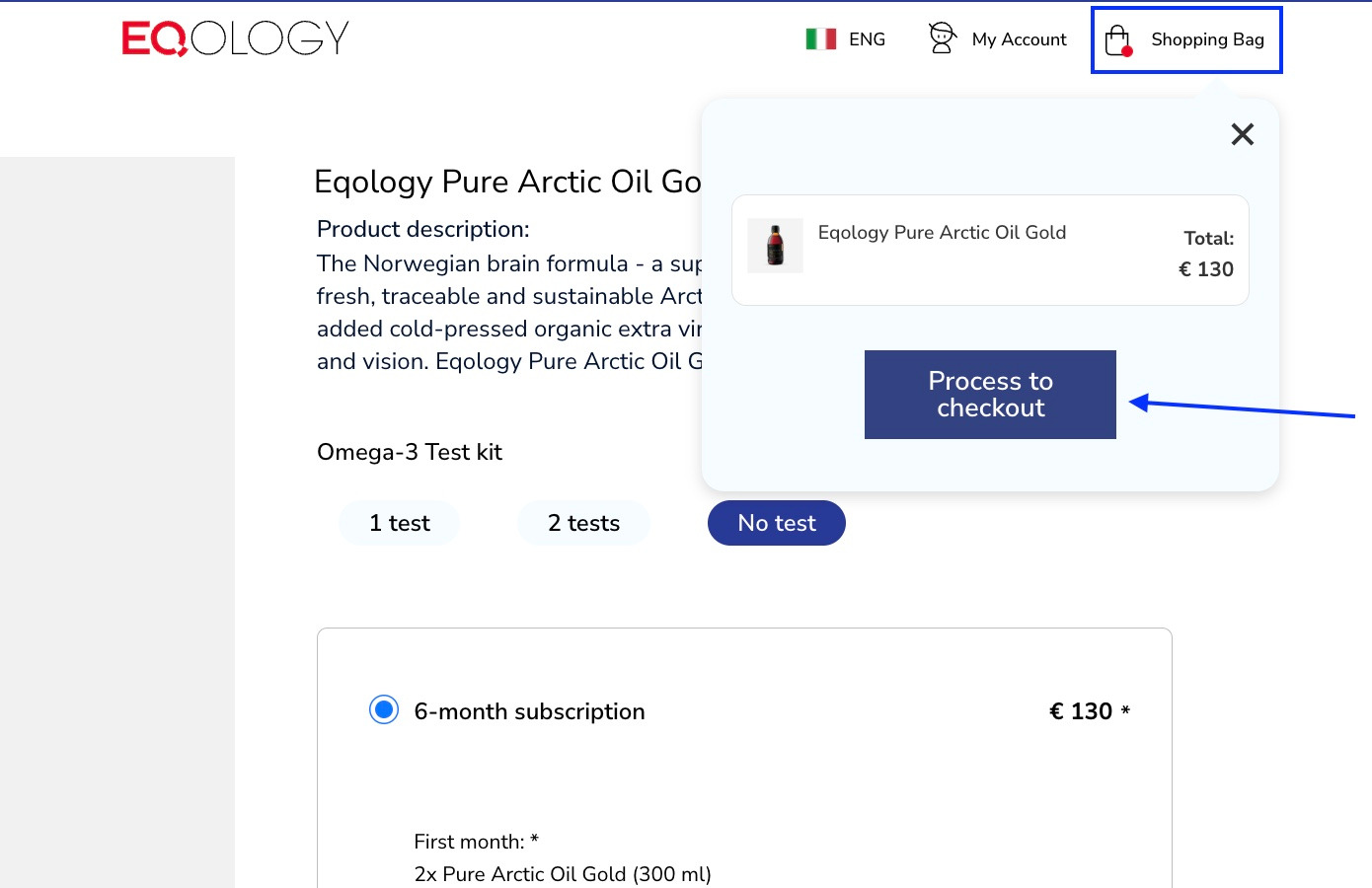
Then you need to select the option -no test and add it to your shopping bag.
Then click on the shopping bag in the top right corner and -process to checkout.
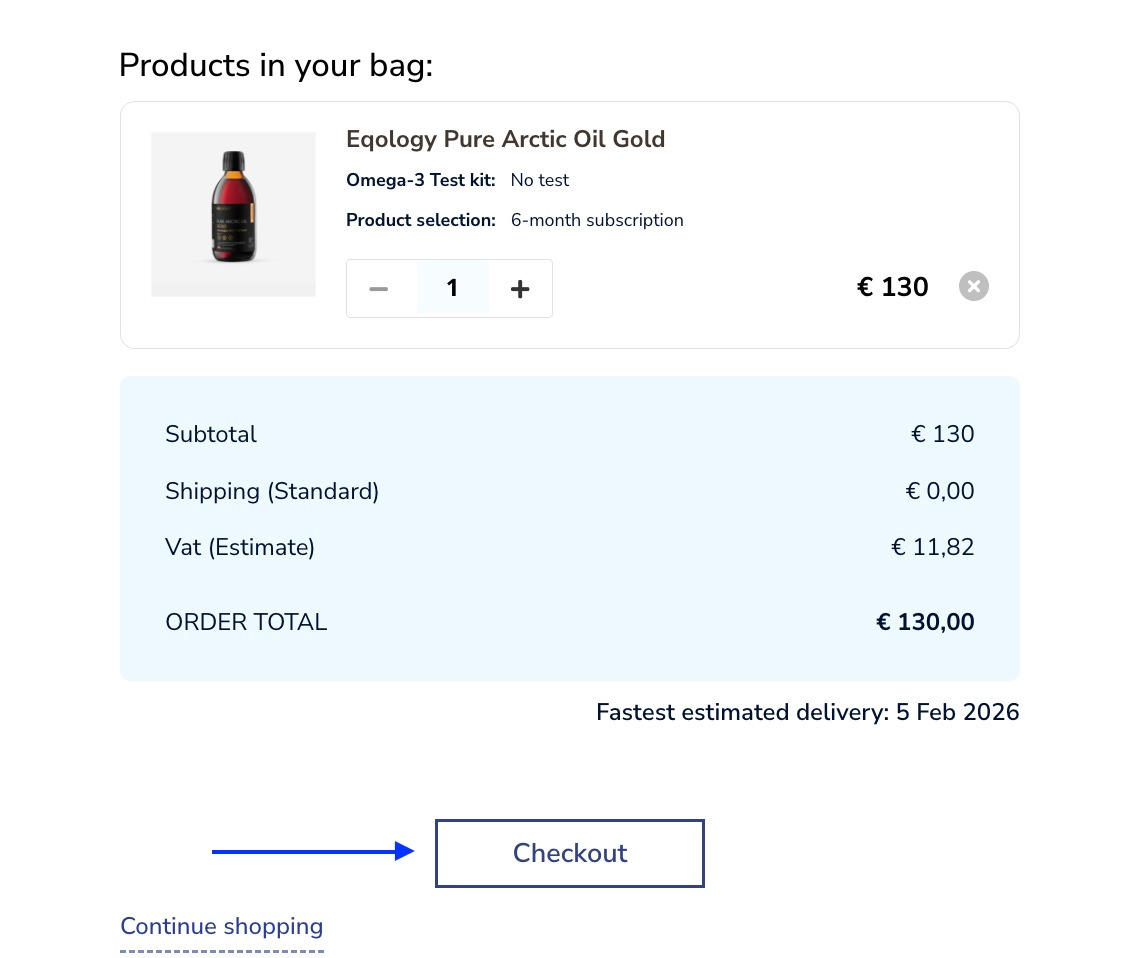
Now click on the checkout button.
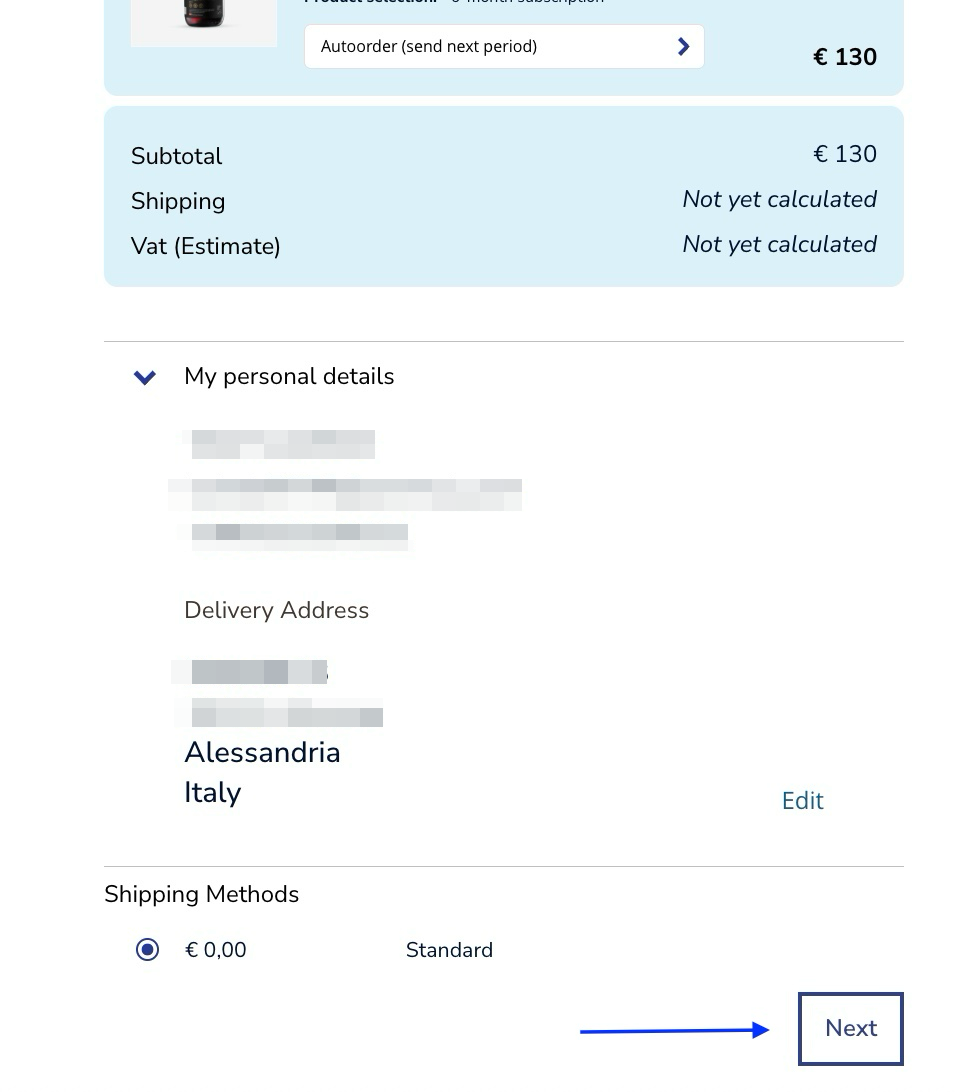
A monthly subscription is as default installed as autoorder. You just need to click on the -next button at the bottom to continue.
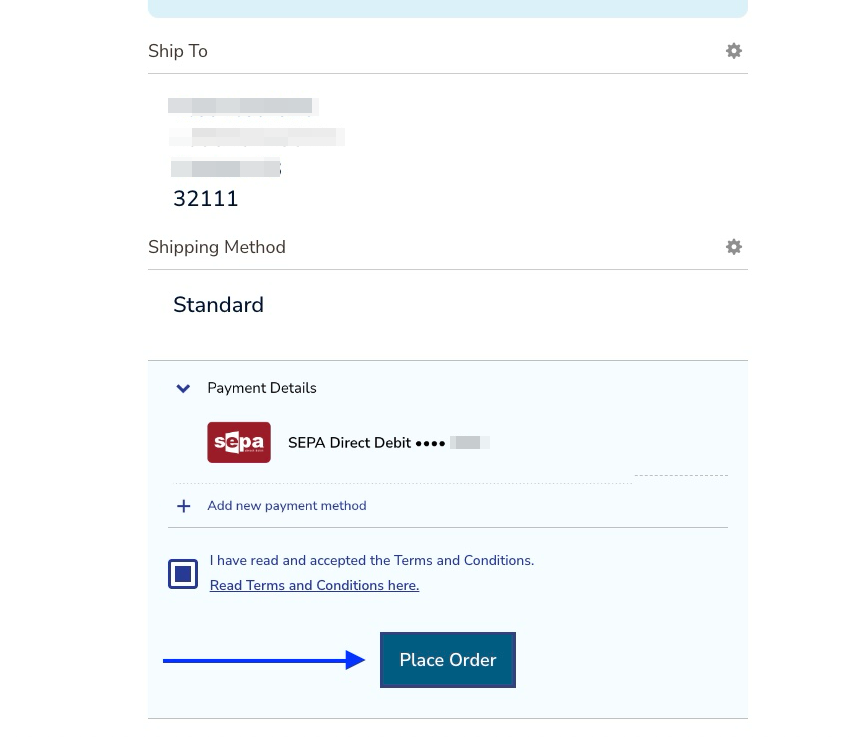
You just need to confirm by clicking on the place order button.
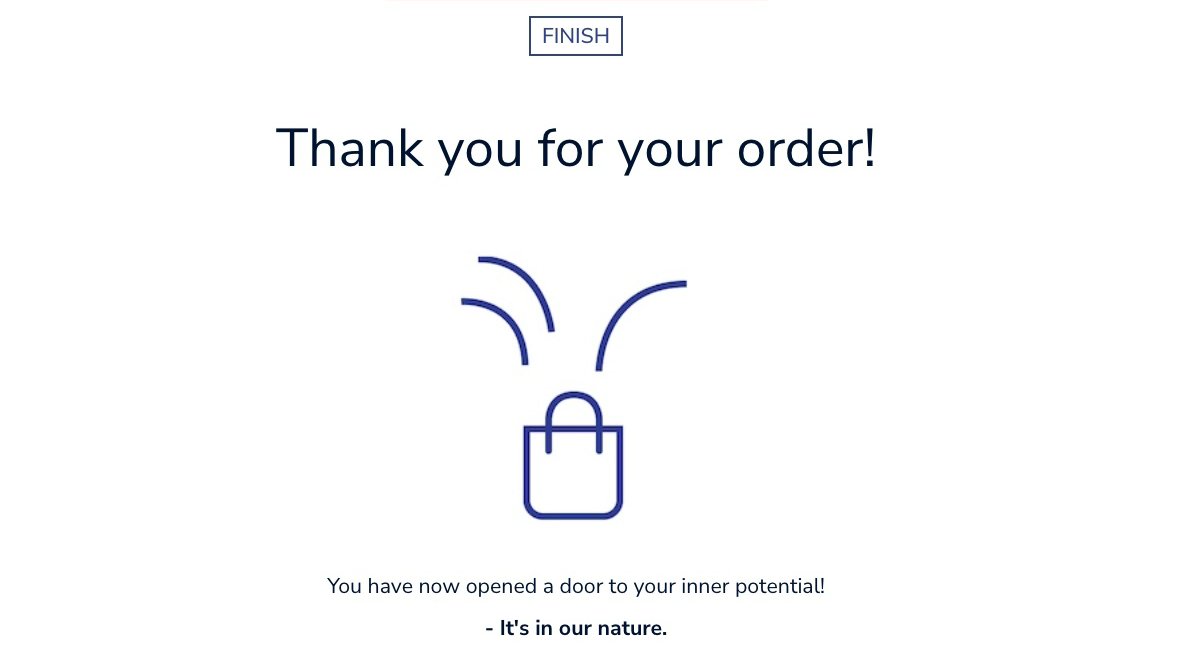
You will receive a confirmation that Pure Arctic Oil Gold has been added to your monthly subscription.
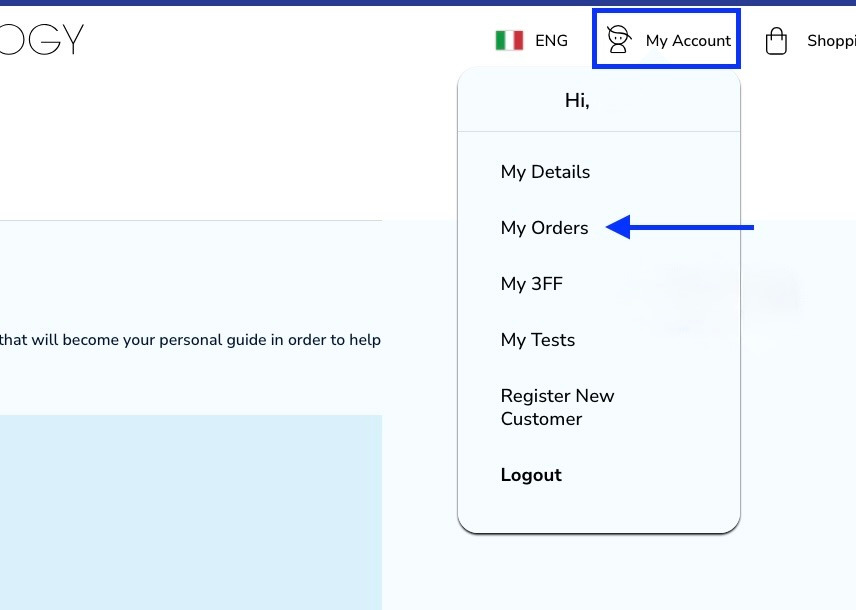
Now you need to cancel your previous subscription. To do that, click on -my account and then -my orders in the top right corner.
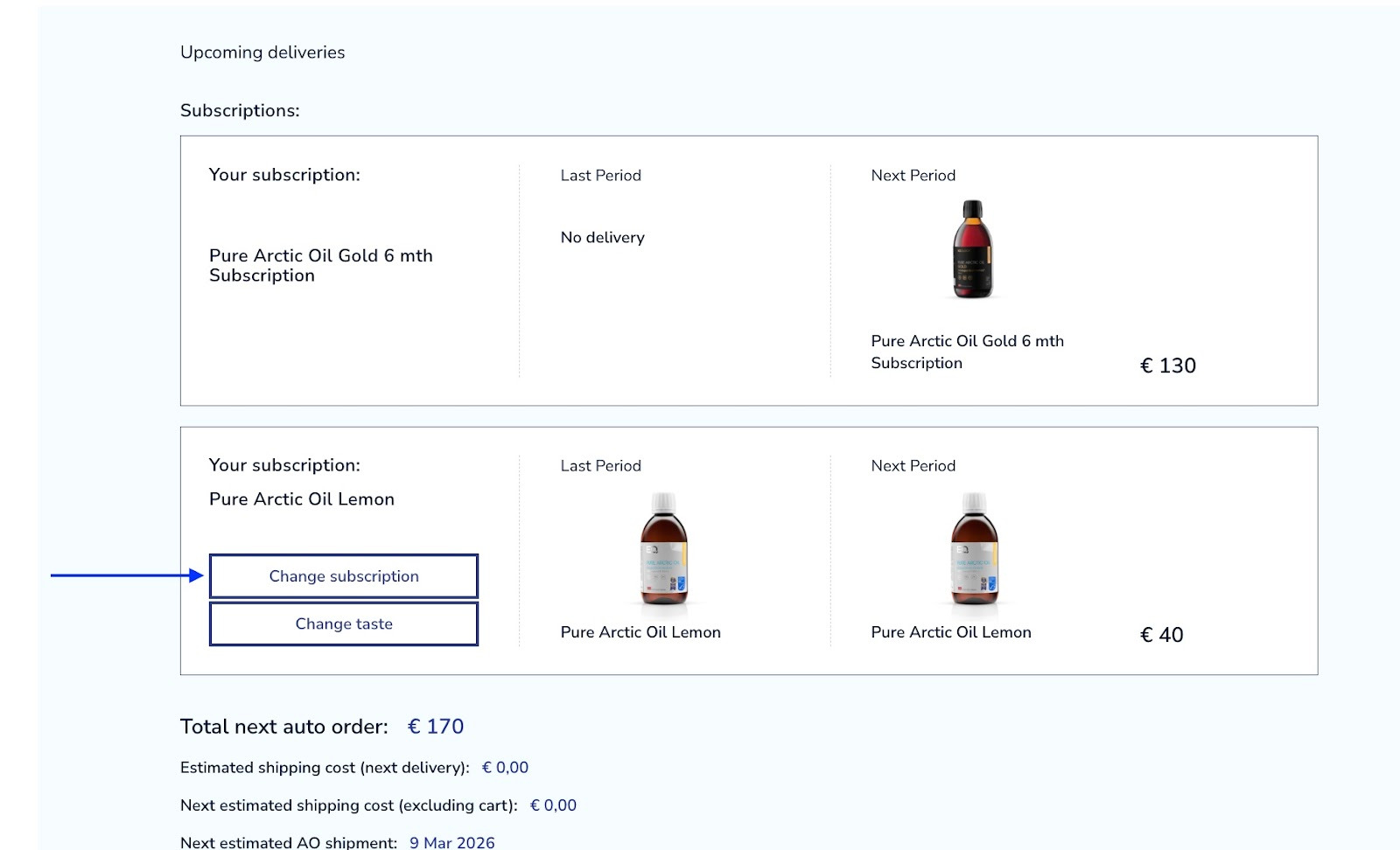
Here you just need to click on the -change subscription button in the Pure Arctic Oil Lemon chart (or the product you would like to remove)
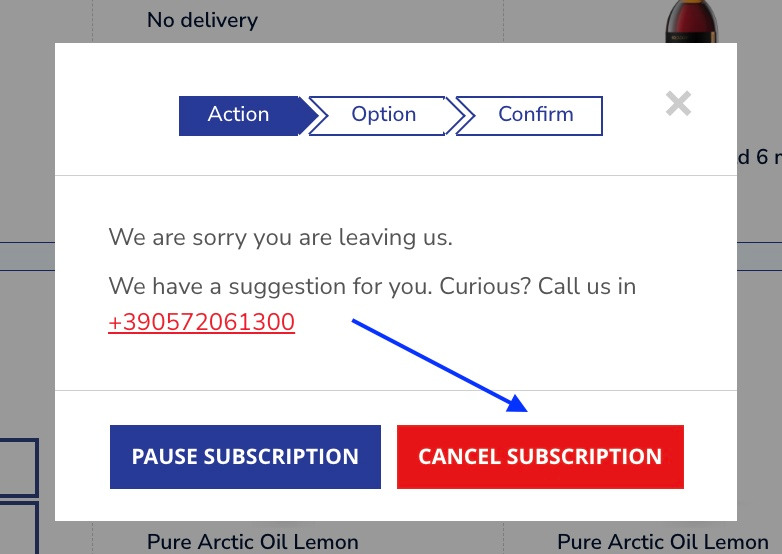
Click on -cancel subscription red button.
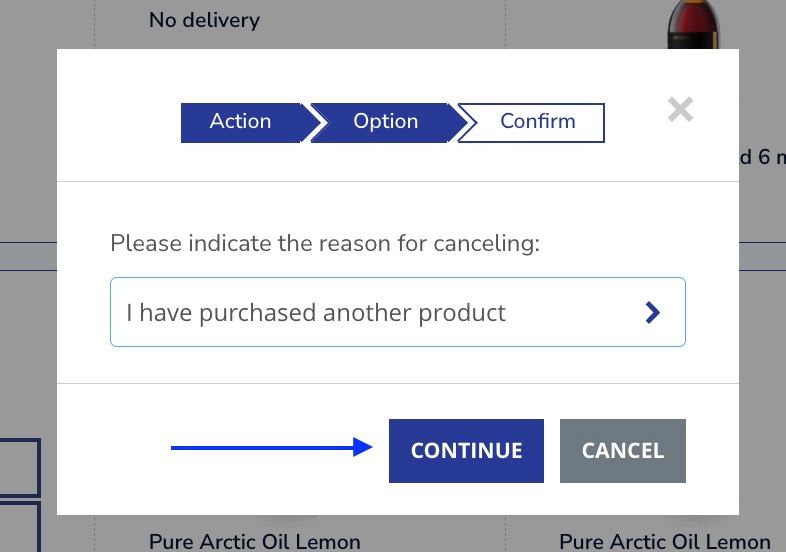
In the next step you might choose the reason for the cancellation, in this case it is an upgrade so you can just select -I have purchased another product. Then click on the continue button.
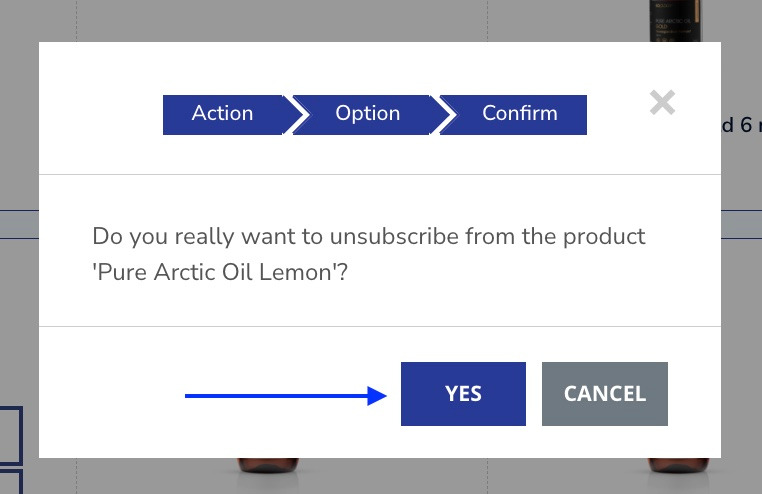
And finalise by clicking on -yes.
As you can see, the chart with Pure Arctic Oil Lemon disappeared, starting from the next shipment you will receive Pure Arctic Oil Gold instead. Your upgrade has been processed.