To register a new customer you need to click on my account and then -Register New Customer in the top right corner.
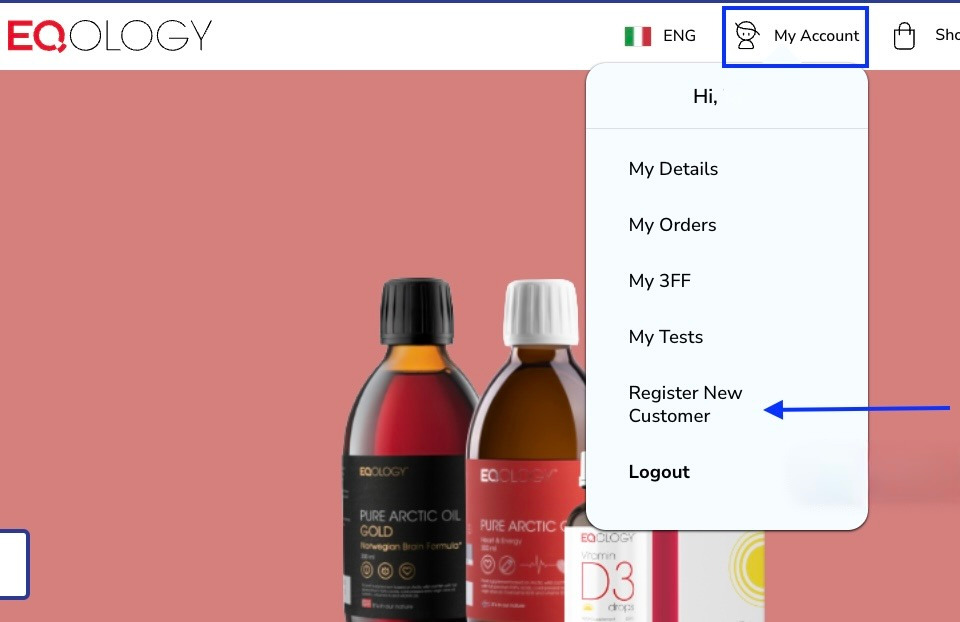
You will get redirected to the registration form. Fill in all the necessary information to create an account for your friend/customer.
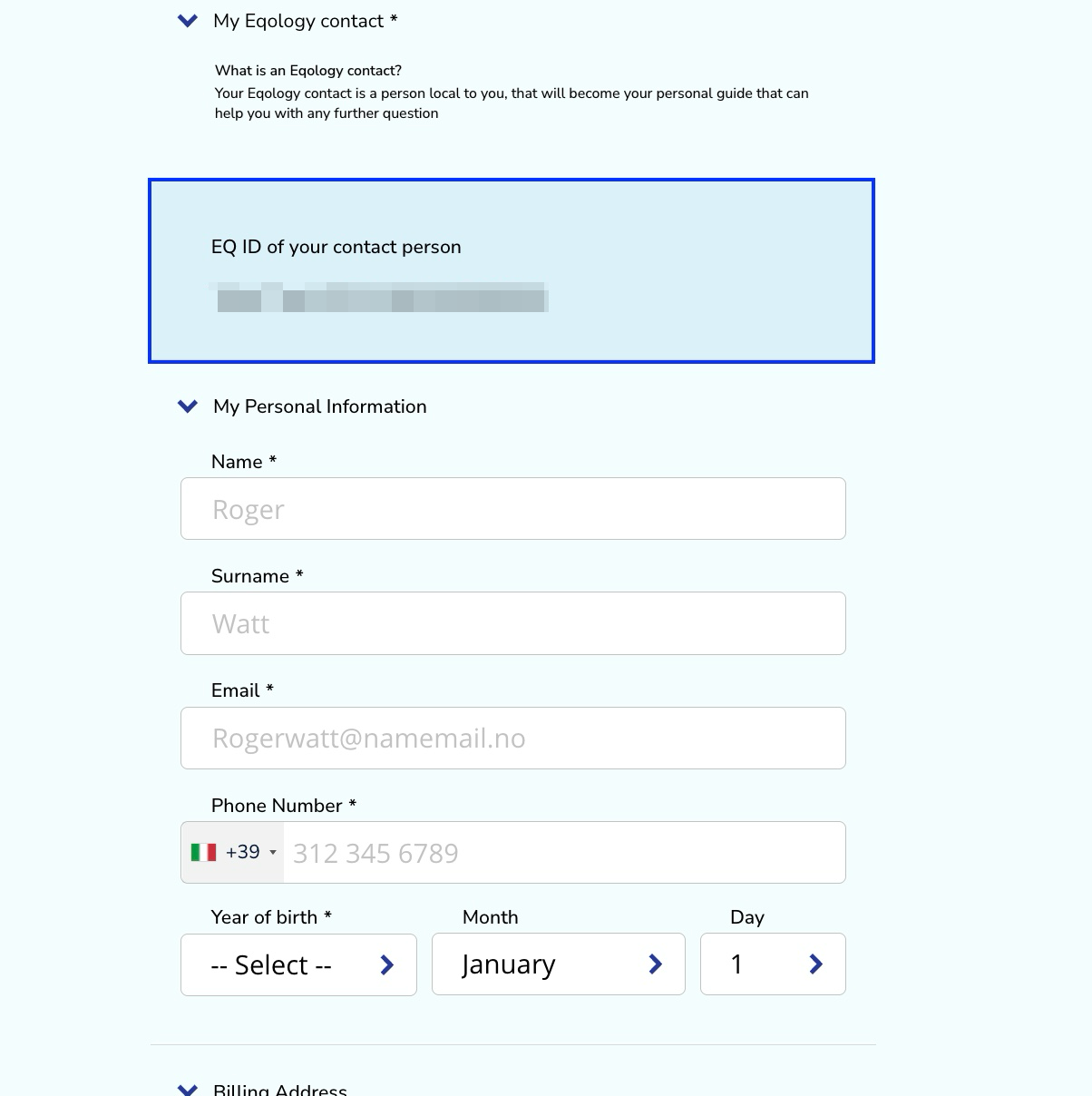
Take note: in the blue field you see your name and your own EQ ID code. If you see a different ID here try to log out and log in again. It means that the new account will be linked to your profile.
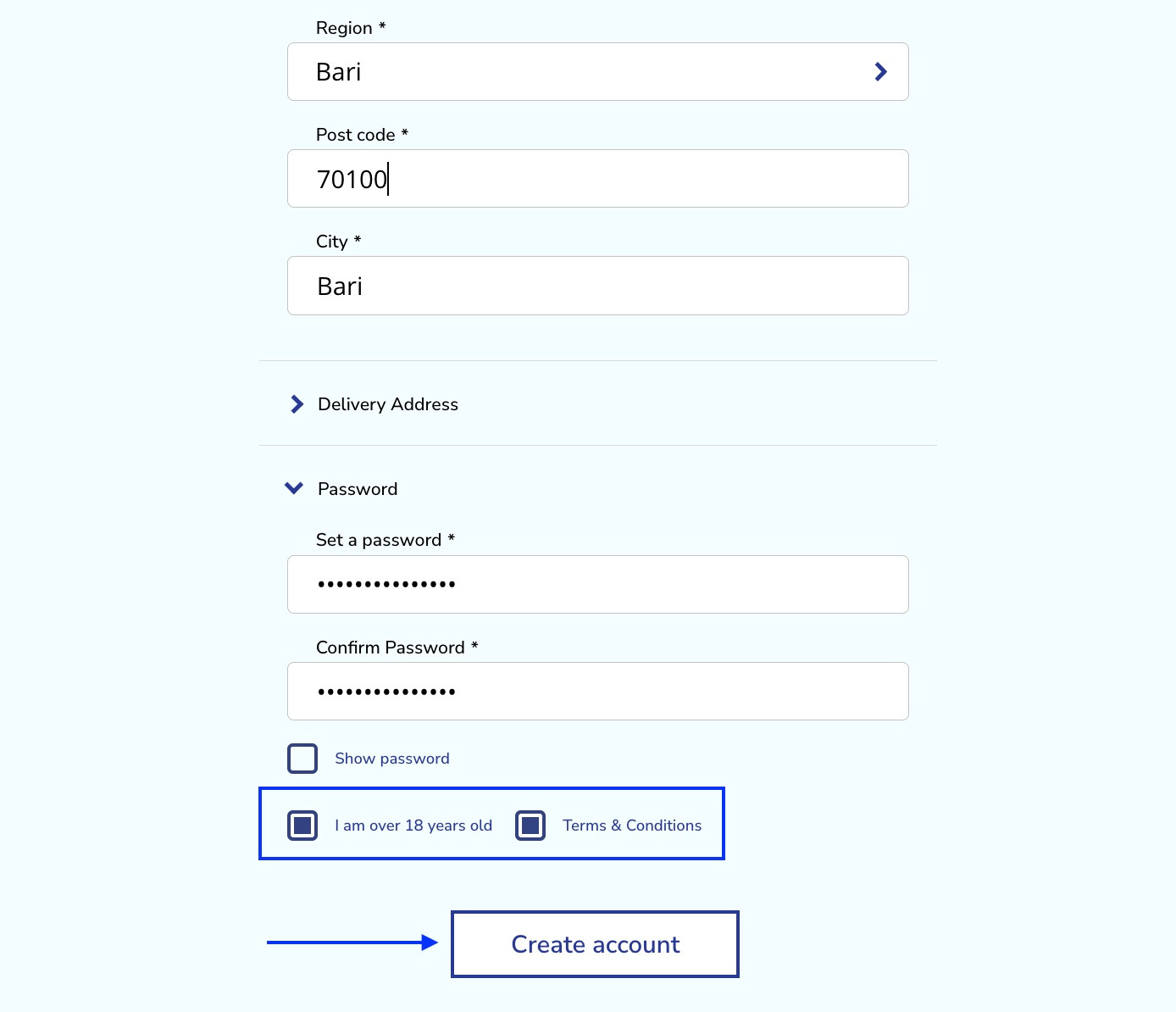
When you fill in all the fields remember to check - I am over 18 years old and Terms&Conditions box. Then click on -create account.
When the account is created you will get automatically logged in as a new customer. You can order products for your friend or you can let it for her/him.
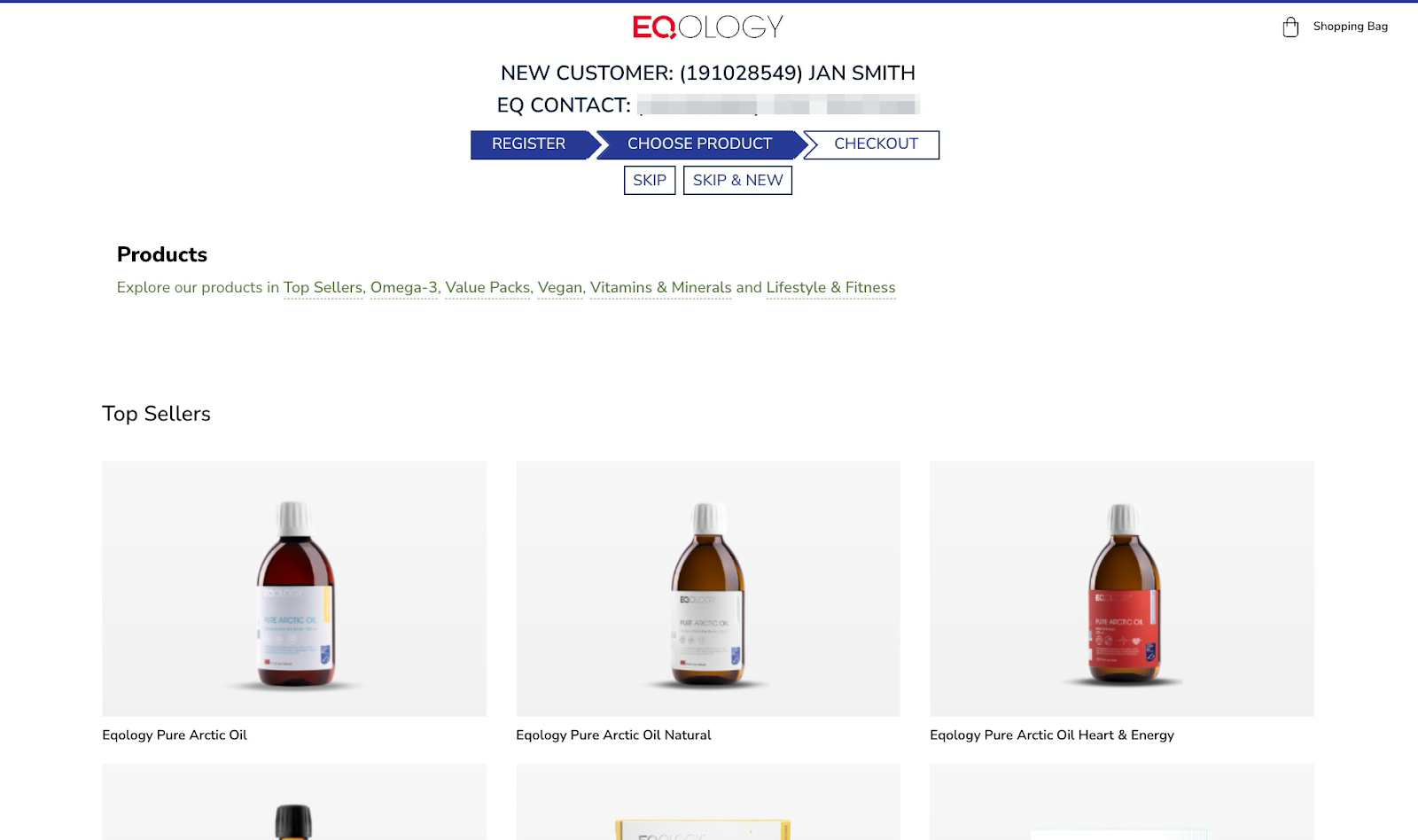
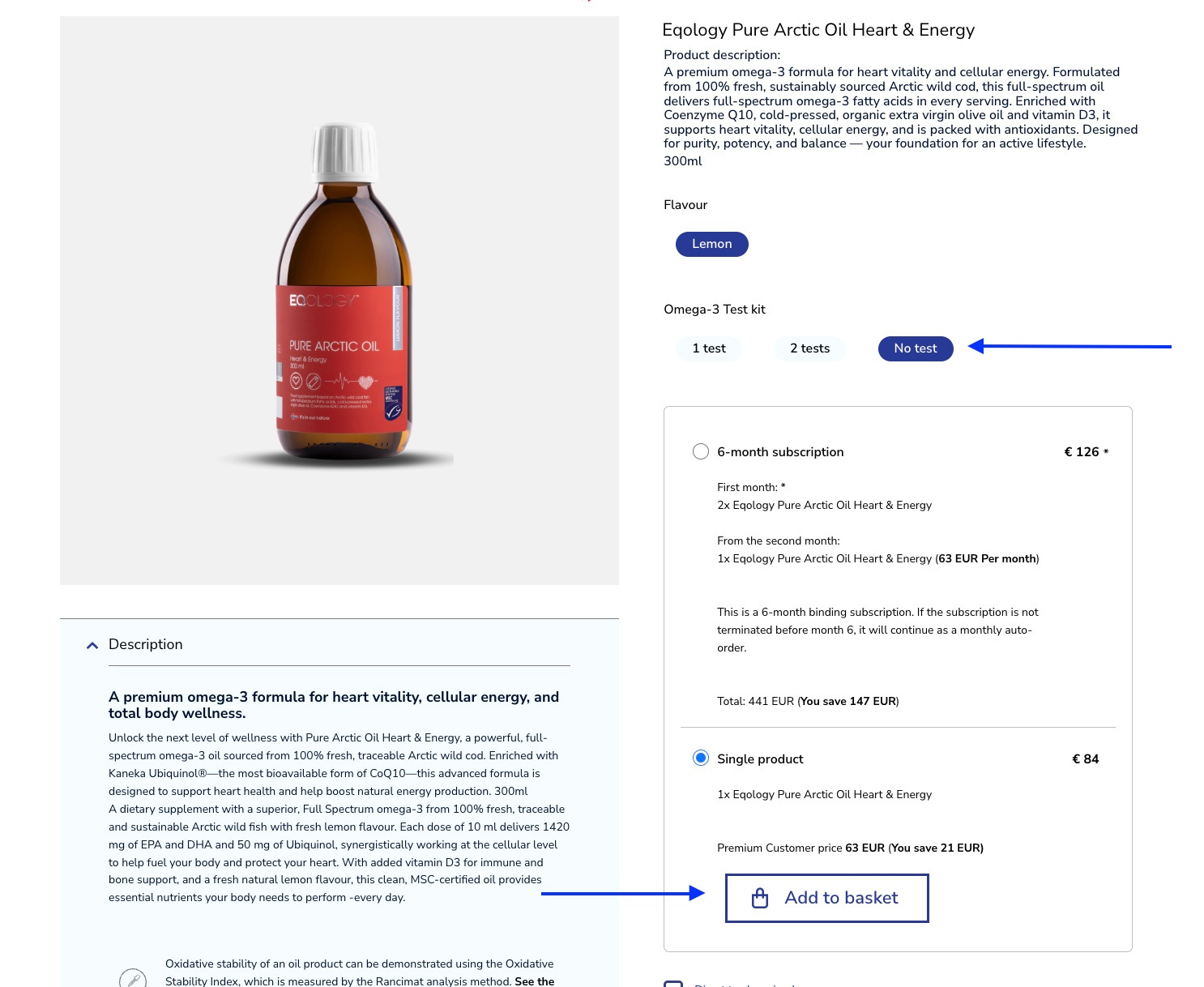
Let’s say your friend wishes to order a bottle of Eqology Pure Arctic Oil Heart&Energy to try it out as a single product. Just click on the image of the product, select the option -no test and choose a single product. Then scroll down to click on -add to basket.
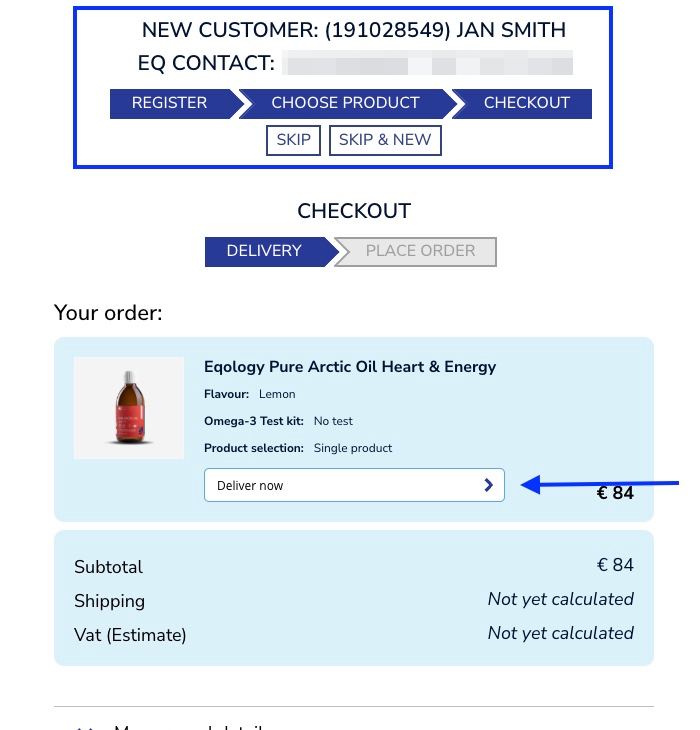
As you can see the progress on the top will also get updated. If your customer wishes to receive the oil only once, select -deliver now as a delivery option.
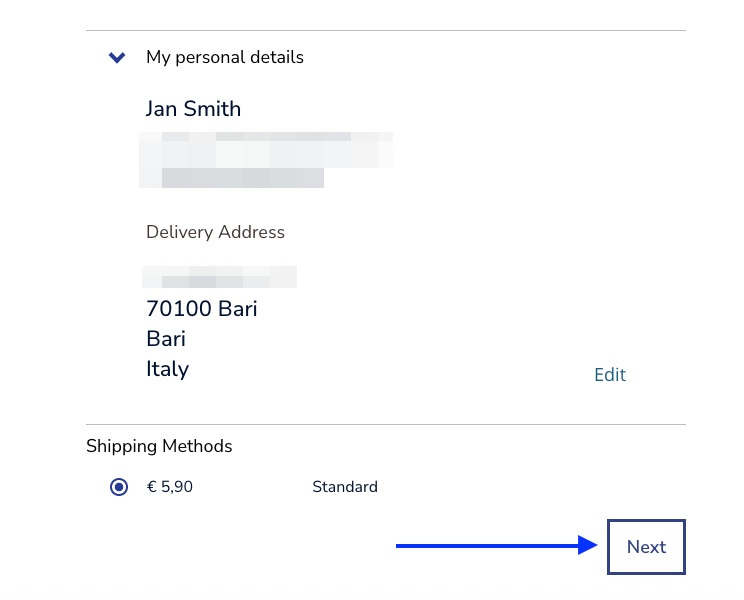
Click on the -next button at the bottom of the page.
You can also add a payment method for your friend or you can leave that to him. Click on -add payment method.
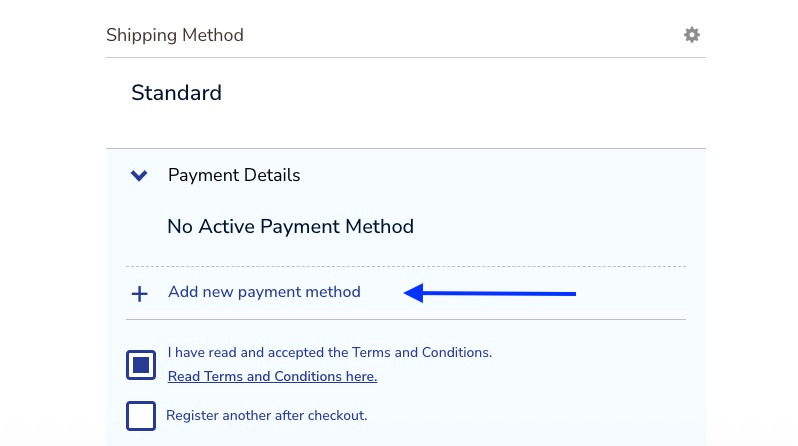
Take note: if you wish to order a subscription it is not possible to pay for them using wire transfer. You would need to select another payment method and you would need to have customer’s payment data to proceed. You should do that directly with the customer or have his consent to do so.
Take note: If you wish to register multiple customers at the same time, check the box -register another after checkout. It will automatically redirect you to your account and again to the registration form.
Once you are ready click on the -place order button.
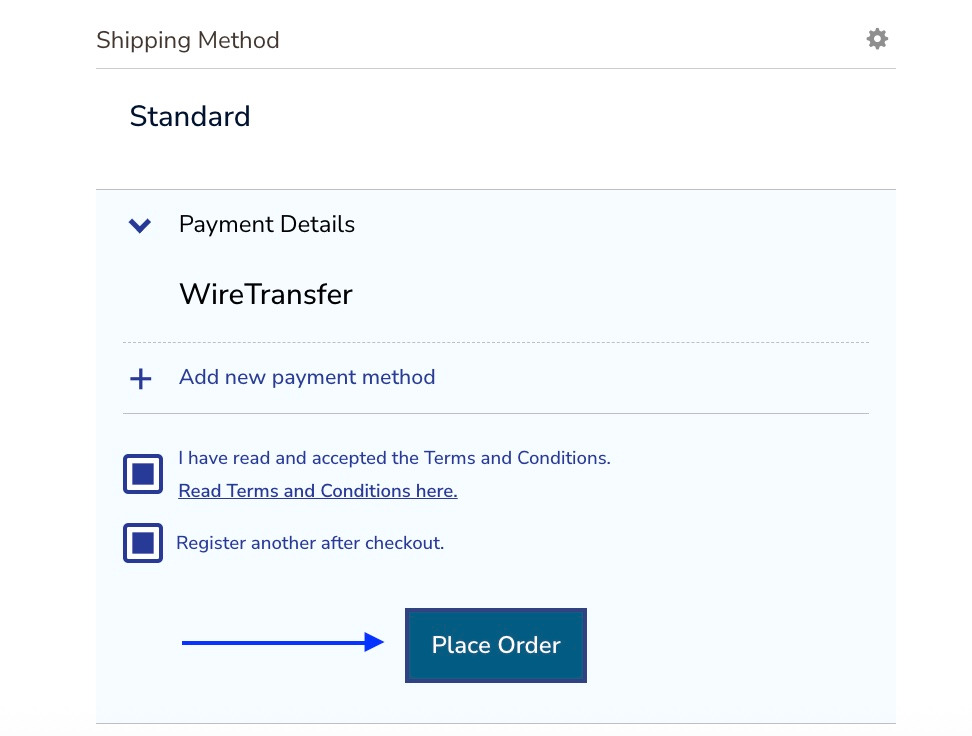
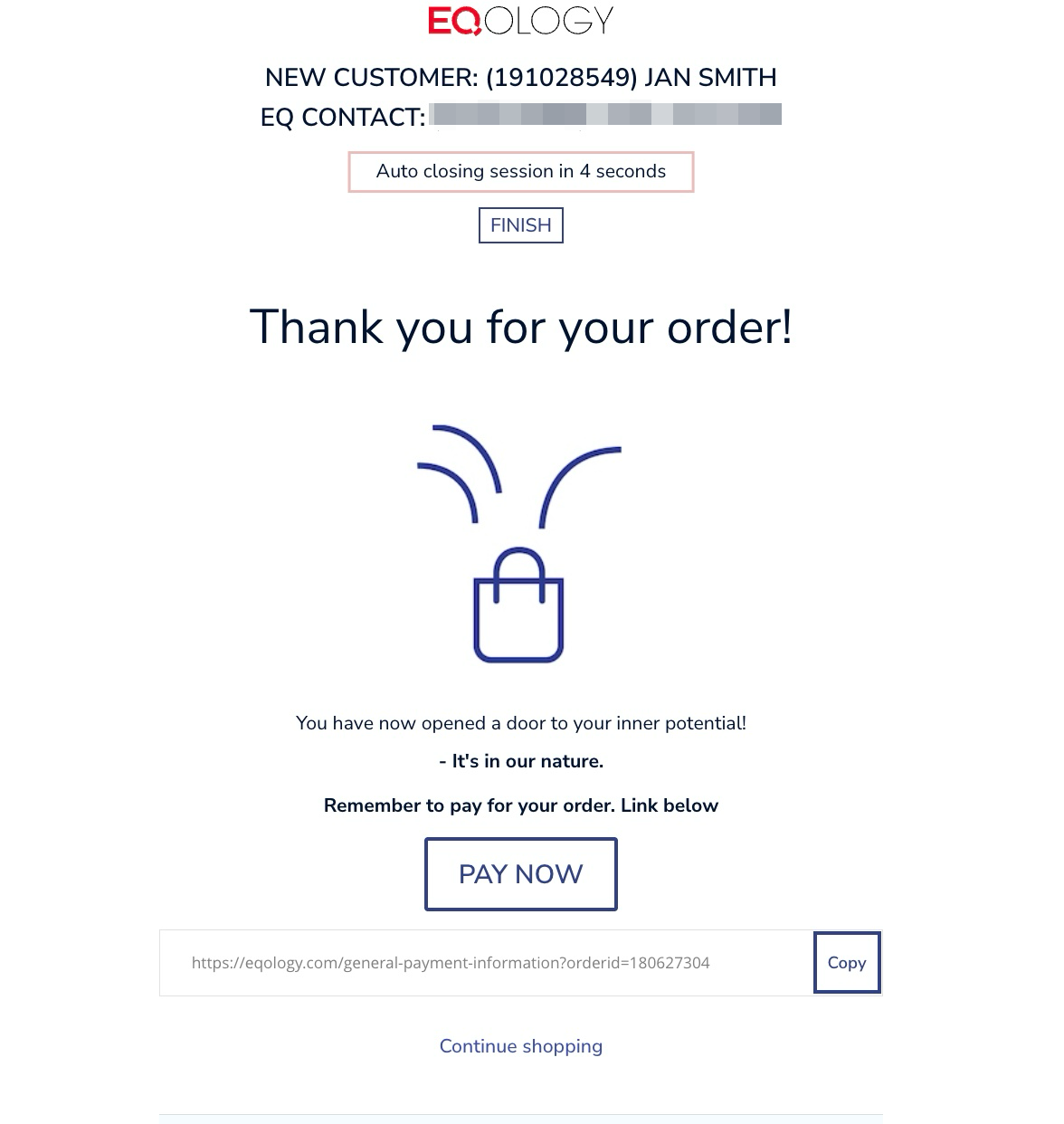
Now you have successfully created a new account and placed a new order.
Because we marked the option -register another after checkout, you will be redirected in 10 seconds automatically back to your account.
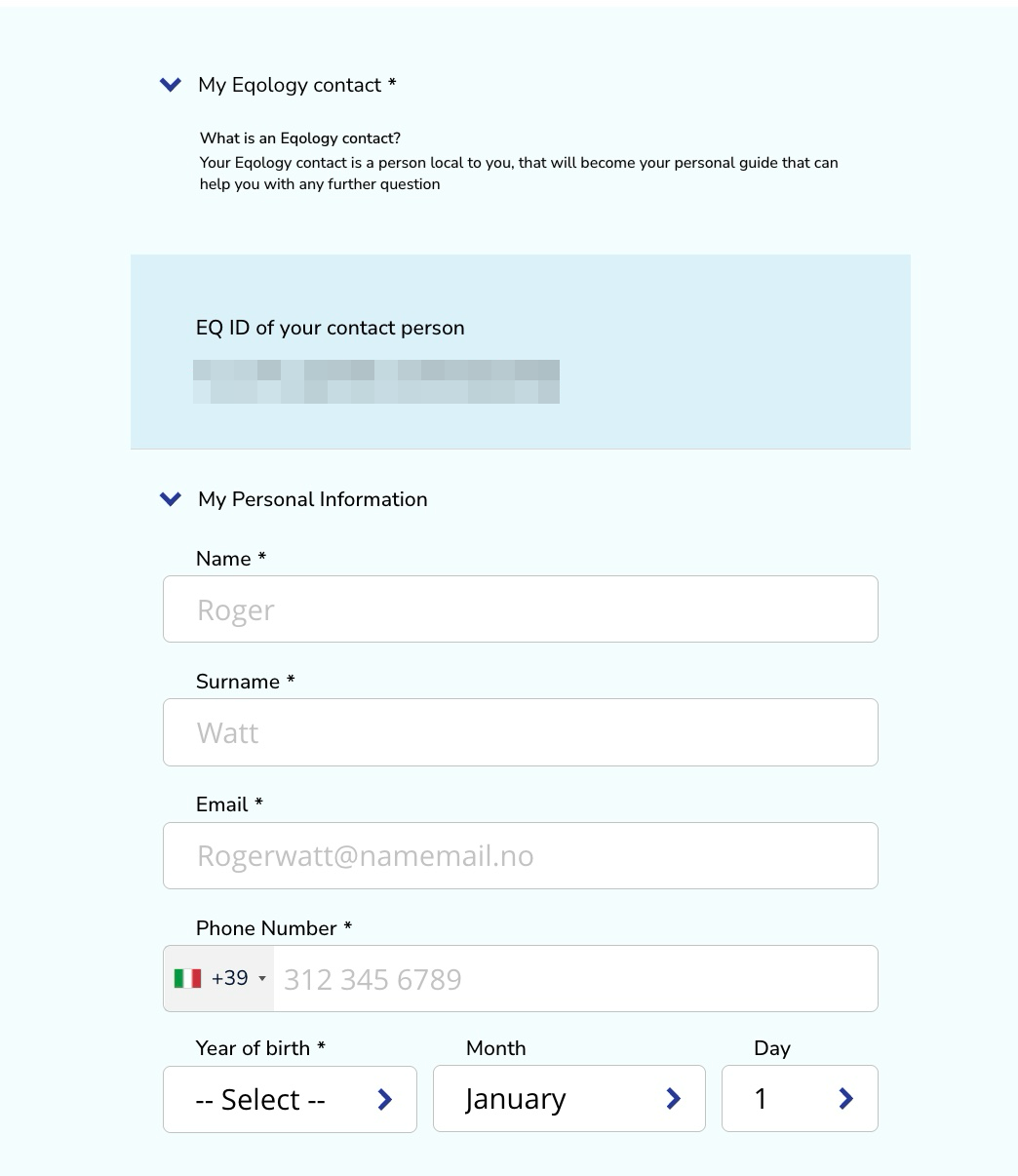
After 10 seconds you are back again logged in on your account and redirected to the registration form.
You should again see your own EQ ID in the blue field.
Your customer will receive an e-mail with the confirmation that the account has been created with his/her credentials. The customer will also get a payment link or payment confirmation depending on the chosen payment method.
Was this article helpful?
That’s Great!
Thank you for your feedback
Sorry! We couldn't be helpful
Thank you for your feedback
Feedback sent
We appreciate your effort and will try to fix the article